Best Practices
Company Bikes and E-Scooters:
How to Share Them Fairly
Share company bikes and e-scooters fairly with Google or Microsoft calendar booking and an iPad indoors in the bike room or by the key and charger cabinet.
Short answer: Make each company bike or e-scooter a calendar resource in Google Workspace or Microsoft 365, and book rides like meetings. Put the iPad indoors, where rides start: on the wall inside the bike room, or beside the key and battery cabinet at reception. With a small fleet, one display running The Room Display on the most-wanted bike is enough. The calendar handles the rest.
Company bikes start as a nice perk and turn into a small logistics problem. The battery is flat, the lock key is in someone's jacket, and the cargo bike has been "out for an hour" since lunch. None of that needs a bike-share platform. It needs a schedule people can see.
What goes wrong with shared bikes and scooters
Most of the friction comes from three things:
- Flat batteries. The last rider didn't charge it, and the next rider finds out halfway to a meeting.
- Missing keys. Lock keys and battery keys wander off in pockets.
- Unclear returns. Nobody knows if the bike is coming back at 2 or at 5.
A shared fleet is any set of bikes, e-bikes, cargo bikes or e-scooters the company owns for staff trips: errands, short client visits, getting between two buildings. Booking them in the calendar fixes the "who has it and until when" part. A clear charging rule fixes the batteries.
Set up each bike or scooter as a calendar resource
- Create one resource per bike or scooter. In Google Workspace, use the Admin console under Buildings and resources, with category Other and a type like "Bike" or "E-scooter". In Microsoft 365, an equipment mailbox is fine for calendar-only booking. For the bike that gets a display, create a room mailbox, because the app only lists room mailboxes on Microsoft 365.
- Name them by what riders care about: "E-bike 2 (medium frame)", "Cargo Bike", "Scooter 1".
- Cap trip length. On Microsoft 365,
Set-CalendarProcessing -Identity "Cargo Bike" -MaximumDurationInMinutes 240declines bookings over 4 hours. Google Workspace has no per-resource cap that I know of, so make it a rule. - Keep the booking window short: 7 days is plenty (
-BookingWindowInDays 7). - Block recurring rides so nobody "owns" a bike every Friday:
-AllowRecurringMeetings $false.
Build charging into the schedule
E-bike batteries typically need 3 to 6 hours for a full charge, and e-scooters are similar. That's longer than most rides. If you don't plan for it, the bike is free on the calendar and flat in real life.
Two ways to handle it:
| Approach | How it works | Best for |
|---|---|---|
| Charge on return | The rider plugs in the battery when they get back. Rides are capped so the next rider has a usable charge. | Light use, 1 to 3 rides per bike per day |
| Charging blocks in the calendar | Someone books a recurring "Charging" block on each bike, for example 12:00 to 14:00 | Heavy use, or batteries that don't last two rides |
Whoever manages the fleet creates the charging blocks. If you go this way on Microsoft 365, leave recurring bookings allowed on that bike (skip step 5 above for it), or the recurring block will be declined.
Where the iPad goes (inside, always)
Bikes live outside or in a bike room. iPads are indoor devices. Apple rates them for about 32 to 95°F, and a bike rack sees heat, frost, rain and anyone walking by. Don't put the iPad at the rack.
Put it where rides start, indoors:
- Inside the bike room door, if the bike room is heated, has Wi-Fi and has an outlet. Mount it beside the door at eye height, so you see it as you walk in.
- By the key and charger cabinet at reception, if keys and batteries live there. Riders already stop at the cabinet before every ride.
Either way, the iPad needs constant power and Wi-Fi, and you should lock it to the app with Guided Access or Single App Mode through MDM.
Which bike gets the display?
One iPad shows one resource. So pick the one people fight over.
Say you have four standard e-bikes and one cargo bike. The e-bikes are interchangeable, so people book them from the calendar and take whichever key is free. The cargo bike is the one everyone wants for the post office run, the catering pickup and the trip to the print shop. The iPad inside the bike room door shows the cargo bike, with the lookahead set to Today. Someone walks in, sees it's free until 2:00, taps 1 hour, grabs the key and goes.
If you only have one or two bikes, give each its own iPad. Retired company iPads are perfect for this, since any iPad on iPadOS 15 or later works.
What the display shows
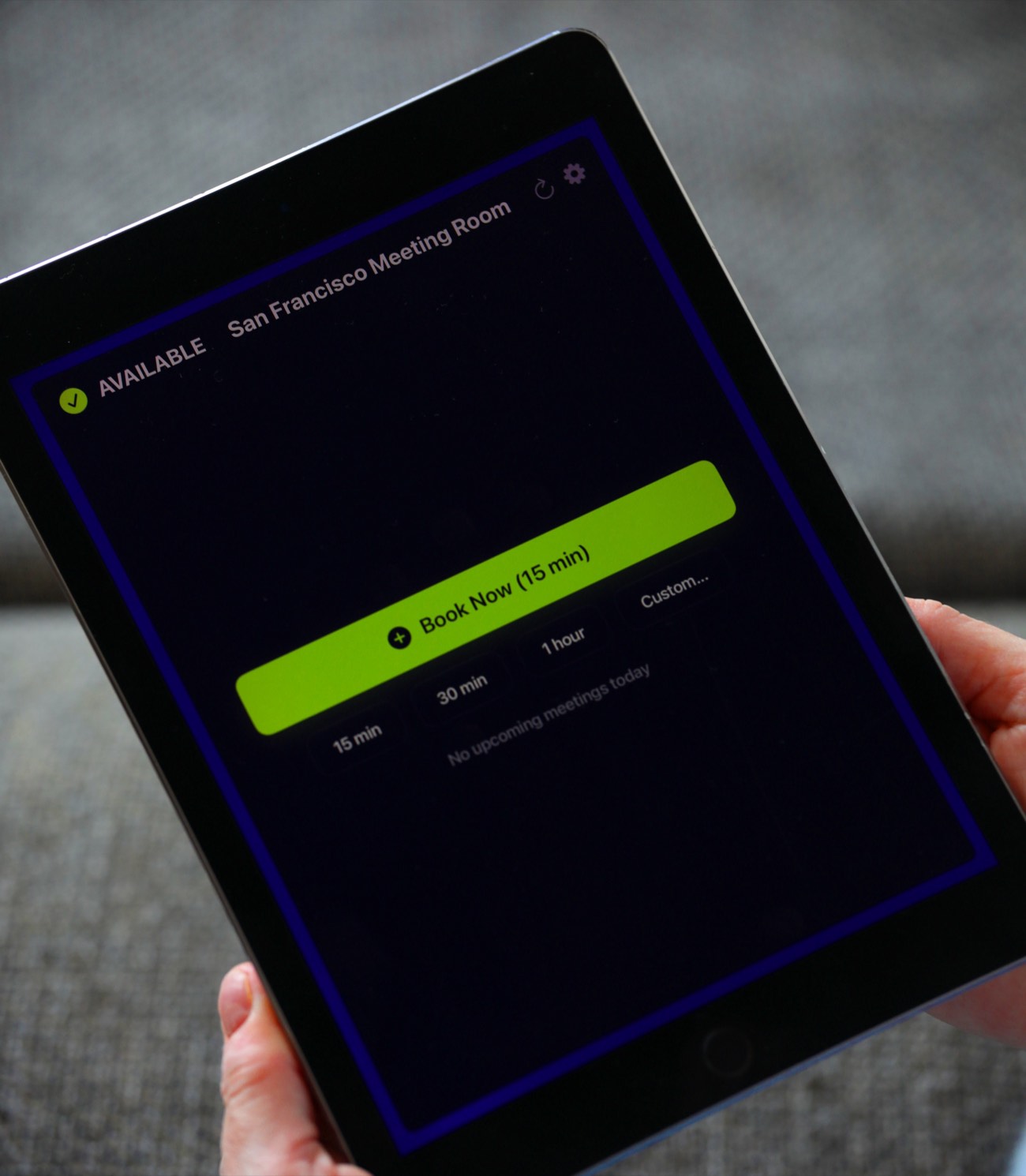
The Room Display is a small piece of digital signage for one bike, with booking built in:
- Status with a colored ring: Available, In Use, or Ending soon.
- The current ride: title, organizer and time left.
- Upcoming rides for Today, 24 hours, 72 hours, or 7 days.
- Walk-up booking: Book Now (15 min), 15 min, 30 min, 1 hour and Custom up to 4 hours 45 minutes, with an optional title.
There's no login at the display, so a walk-up booking doesn't know who tapped. Ask riders to use Custom and type their name. Anyone at the display can book. Booking ahead in Outlook or Google Calendar follows your calendar permissions.
Check in when the key comes off the hook
Turn on Require Check-In for the bike with a display. When a booked ride starts, the rider taps Check In on the way out. If nobody taps within the timeout (5, 10 or 15 minutes), the booking is released and the bike goes back to Available in the calendar. For bikes I'd use 10 minutes, the default. On Microsoft 365, check-in needs Direct Room Access, which an admin grants to the iPad's account.
Fair-use rules for the bike room wall
- Book before you ride. Your name goes in the title.
- Max 4 hours per ride.
- Plug in the battery when you're back, every time.
- Keys go back in the cabinet, not your pocket.
- Report damage on the form you already use. The display doesn't track it.
- Follow your local rules on helmets and e-scooter use, which vary a lot by city and state. Check with your insurer about coverage for staff riding company bikes.
If you also share cars, EV chargers or parking, the same pattern applies. I covered those in pool cars and EV charging spots at work.
The cost is $99 per iPad, once. No subscription. See pricing.
When The Room Display isn't the right fit
- You want smart locks that unlock when a booking starts. The app doesn't control locks.
- You need GPS tracking or trip logs. Use a fleet or telematics tool.
- You run a public or paid bike share. No payments, and riders need to be on your calendar to book ahead.
- You want one screen for the whole fleet. One iPad shows one resource.
Frequently asked questions
How do I share company bikes fairly between employees?
Make each bike a calendar resource, cap ride length (4 hours is a good start), block recurring bookings and set a clear charging rule. Everyone books from Google Calendar or Outlook, so nobody has to referee.
Can I mount a booking screen at the bike rack?
Not an iPad. iPads are indoor devices and won't handle heat, frost, rain or theft. Mount it indoors, inside the bike room door or beside the key and charger cabinet.
How do we stop people returning e-bikes with flat batteries?
Make "plug in when you return" the rule, cap ride length so there's charging time between rides, and for heavily used bikes, book a daily charging block in the bike's calendar.
Can one iPad show all our company bikes?
No. The Room Display shows one resource per iPad. Book interchangeable bikes in the calendar, and put a display on the one people fight over, like a cargo bike.
Related guides
- Pool Cars: A Simple Booking System for Company Vehicles
- EV Charging Spots at Work, Without the Awkward Emails
- Parking Space Booking for Hybrid Offices: What Actually Works