Conference Room Displays
The Room
Display
Elegant iPad displays for real-time meeting room availability and instant booking. One-time purchase, no subscriptions.
Conference rooms should just work. No friction, no confusion — just walk up and know.
The Room Display turns any iPad into a beautiful, always-on meeting room display system. Real-time availability, instant booking, and zero monthly fees — a no subscription room display solution.
01 — What it does
Real-time Display
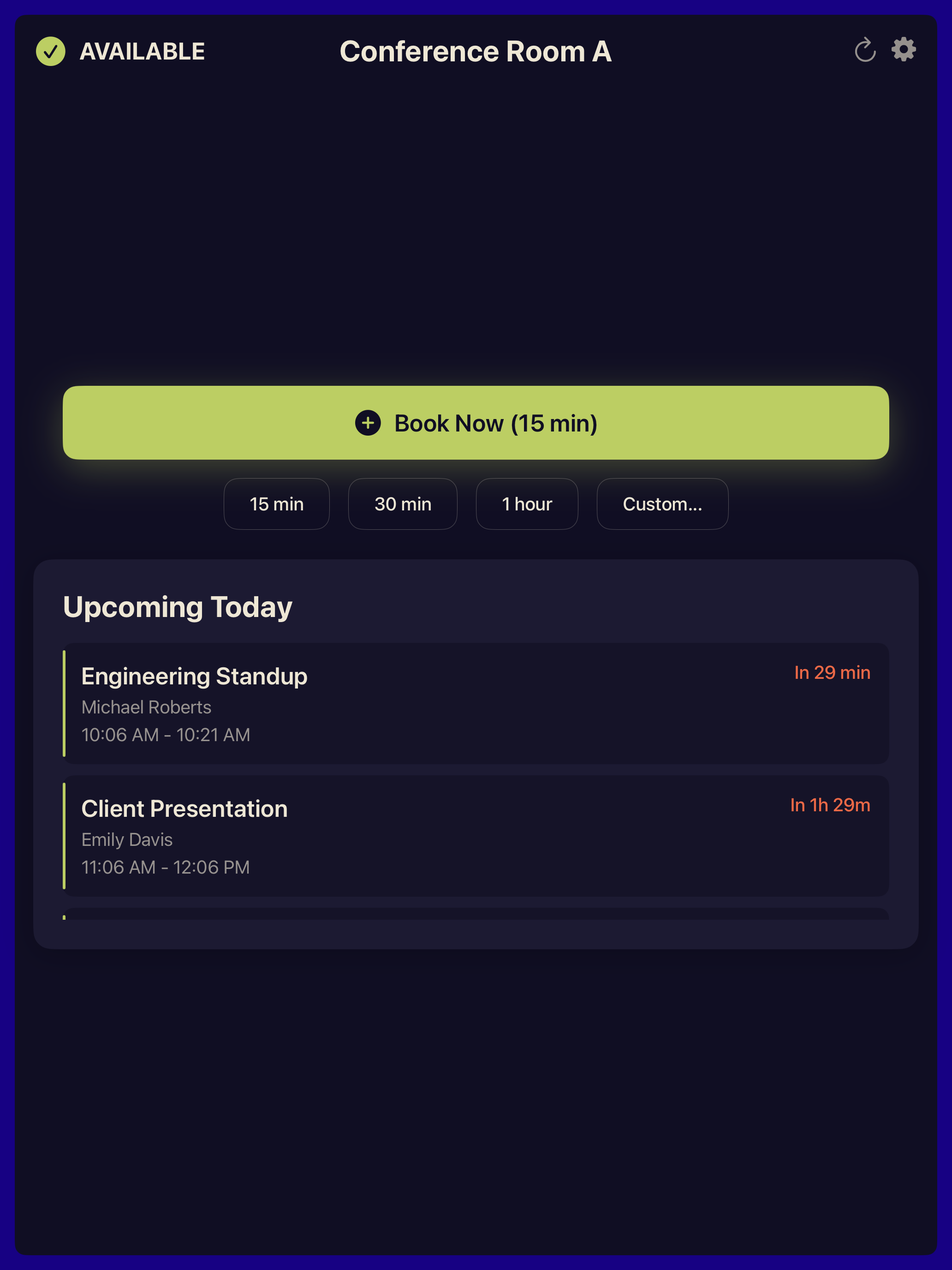
Shows current room status and today's meeting schedule at a glance. Auto-refreshes every 30 seconds.
Quick Booking
Book rooms instantly with preset durations or custom times. No need to open your laptop.
Secure Authentication
OAuth 2.0 or Service Accounts with domain-wide delegation. Credentials stored in iOS Keychain.
iPad Optimized
Designed for both landscape and portrait orientation on wall-mounted iPads. Works on iPads from 2017 onwards.
Organization-wide
Access all calendar resources in your organization via Admin SDK or Microsoft Graph.
Elegant Design
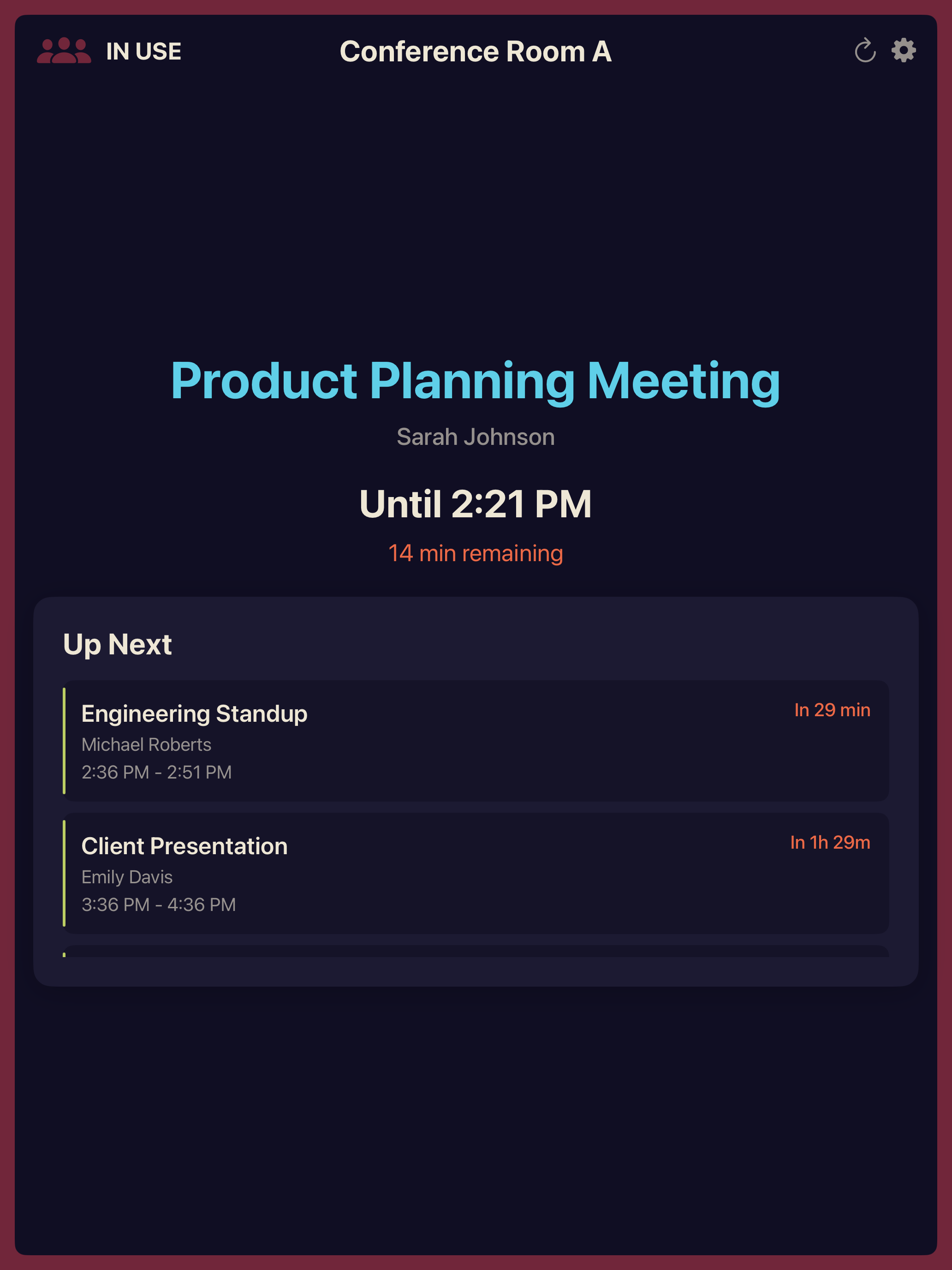
Clean, color-coded interface — green for available, red for in use. Beautiful at any distance.
Why The Room Display?
Your meeting room display system
The Room Display is an iPad room booking app that shows real-time meeting room availability and allows instant booking through your existing calendar. A complete conference room screen solution for wall-mounted iPads in Google Workspace and Microsoft 365 organizations.
- Save Time — No more checking calendars or walking to find available rooms
- Reduce Conflicts — Real-time room scheduling display prevents double-bookings
- Instant Booking — Book rooms on the spot with preset or custom durations — a complete room reservation system
- Flexible Authentication — OAuth 2.0 or Service Account for enterprise deployments
- Wide Compatibility — Works with iOS 15+ (supports iPads from 2017 onwards)
- Beautiful Design — Clean, color-coded interface optimized for wall-mounted iPads
Check-in & auto-release
No more ghost bookings
When a meeting starts, the display asks for a quick tap to check in. If no one confirms within your chosen window, the room is automatically released and shown as available again — reclaiming booked-but-empty rooms with no sensors required.
- Tap to Check In — One tap on the iPad confirms the room is in use
- Auto-release no-shows — Configurable window (5, 10, or 15 minutes), default 10
Traditional conference room displays cost $500–$2,000 per unit plus $15–30/month in subscription fees. The Room Display uses the iPads you already own — one purchase, lifetime access, no recurring costs.
- Complete iPad application with all features included
- Google Workspace & Microsoft 365 support
- Lifetime updates at no extra cost
- Deploy on unlimited iPads ($99 each)
- Email support included
02 — Getting started
Set up in under ten minutes
Three simple steps to transform your iPads into conference room displays. No complex infrastructure required.
Cloud Configuration
Create a service account, enable required APIs, and configure domain-wide delegation in Google Cloud or Microsoft Entra.
Workspace Permissions
Add required scopes in your admin console so the app can read calendars and discover rooms.
iPad Setup
AirDrop credentials to iPad, import the JSON file, select your meeting room, and you're done.
Integrations
Built for Google Workspace & Microsoft 365
The Room Display integrates seamlessly with both major calendar platforms.
- Google Calendar API for reading and creating events
- Microsoft Graph API for Outlook calendar integration
- Organization-wide room discovery via Admin SDK or Microsoft Graph
- Flexible authentication via OAuth 2.0 (recommended) or Service Account with domain-wide delegation
FAQ
Frequently Asked Questions
What is The Room Display?
The Room Display is an iPad app that turns any iPad into a conference room display. It shows real-time room availability, today's meeting schedule, and allows instant room booking. It works with Google Workspace (Google Calendar) and Microsoft 365 / Office 365 (Outlook) and costs $99 per iPad with no monthly subscription.
How much does a conference room display cost?
The Room Display costs $99 per iPad as a one-time purchase — no monthly fees, no subscriptions. Traditional dedicated conference room display hardware costs $500–$2,000 per unit plus $15–30/month in subscription fees. The Room Display uses the iPads you already own.
Does The Room Display work with Microsoft 365?
Yes. The Room Display works with both Google Workspace (Google Calendar) and Microsoft 365 (Outlook/Exchange Online). You choose your platform during the 5-minute setup process.
What iPads are compatible with The Room Display?
The Room Display works with any iPad running iOS 15 or later, which includes iPads from 2017 onwards — iPad Air (3rd gen), iPad mini (5th gen), iPad (6th gen), and all iPad Pro models from 2017+. No need to buy new hardware.
What happens if no one shows up for a booked meeting?
The Room Display can require a check-in: when a meeting starts, the display shows a Check In button. If no one taps it within a configurable window (5, 10, or 15 minutes — 10 by default), the booking is automatically released and the room shows as available again. This frees up ghost bookings with no sensors or extra hardware.