Features
iPad Conference Room
Display App Features
A complete meeting room display system with real-time availability, instant booking, and seamless calendar integration for Google Workspace and Microsoft 365 (Office 365)
01 — Today's schedule
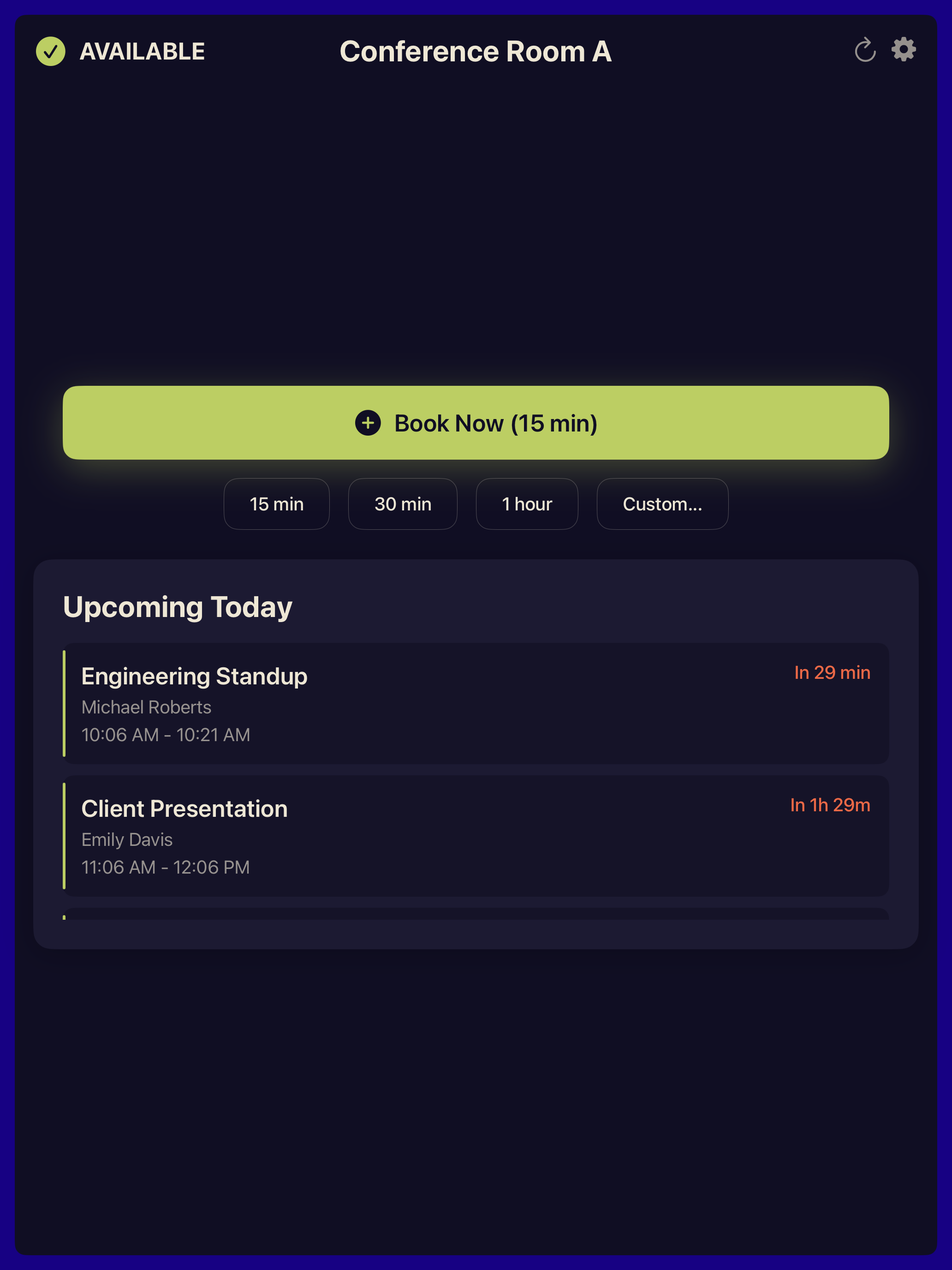
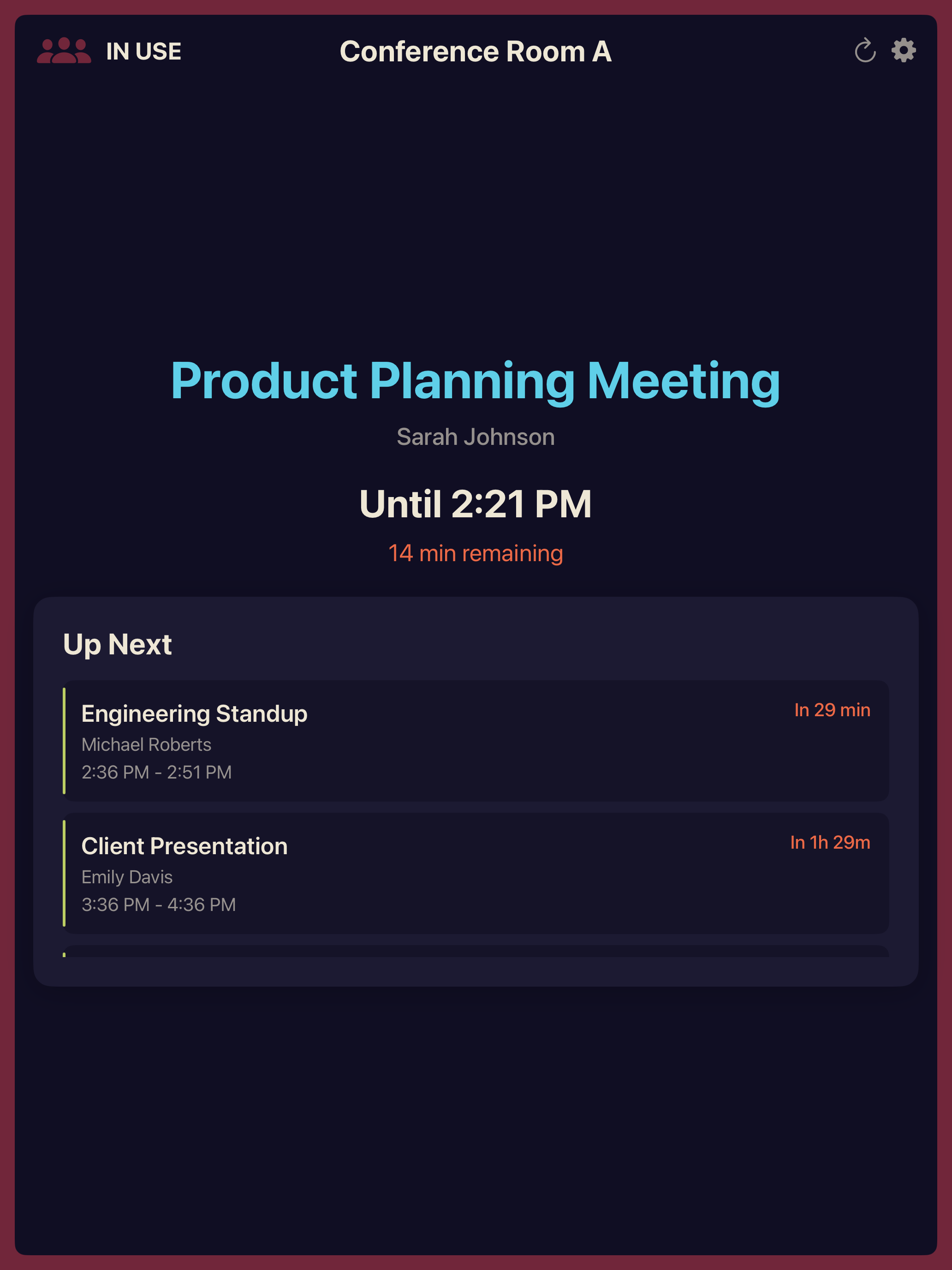
Today's schedule at a glance
View all meetings scheduled for the rest of the day — or up to 7 days ahead — with an easy-to-read chronological list. See meeting titles, times, organizers, and quickly identify what's coming next.
- Upcoming Meetings — Full schedule for today, or choose to look ahead 24 hours, 72 hours or 7 days
- Auto-refresh — Updates every 30 seconds
- Next Up — Clearly highlighted upcoming meetings
02 — Authentication
Flexible & secure
Choose the authentication method that works best for your organization. OAuth 2.0 for simple setup, or Service Account for enterprise deployments.
- OAuth 2.0 (Recommended) — Simple, secure sign-in with your Google account
- Service Account (Advanced) — Unattended operation for enterprise deployments
- Keychain Storage — All credentials stored securely in iOS Keychain
- MDM Zero-Touch — Push credentials, room assignment, and branding via Managed App Configuration
03 — Organization-wide
All your rooms, one app
Access all calendar resources across your entire organization using the Admin SDK Directory API. Not limited to subscribed calendars.
- All Resources — Every meeting room in your org
- Centralized — Managed via Google Workspace Admin
- No Subscriptions — See all rooms, not just subscribed
04 — Check-in & auto-release
No-shows, reclaimed
When a meeting starts, the display asks for a quick tap to check in. If no one confirms within your chosen window, the room is automatically released and shown as available again — so booked-but-empty rooms never go to waste, no sensors required.
- Tap to Check In — One tap on the iPad confirms the room is in use
- Configurable Window — Auto-release after 5, 10, or 15 minutes with no check-in (default 10)
- Frees Ghost Bookings — Empty rooms return to the pool automatically
05 — Themes & branding
Your brand, at the door
Choose the high-contrast Classic theme, the dark Midnight theme, or build your own: upload your company logo, fine-tune every color, or enter your website and pick from nine brand-matched theme suggestions — generated on the iPad, nothing uploaded anywhere.
- Logo & Brand Name — Shown directly on the room display
- Themes from Your Website — Nine matching themes from your site's logo and colors
- Full Color Control — Twelve editable colors with a live Available / In Use preview
Compatibility
Works with iPads from 2017 onwards
Compatible with iOS 15+, The Room Display works on a wide range of iPad models — from iPad Air (3rd gen), iPad mini (5th gen), iPad (6th gen), to all iPad Pros from 2017 and later.
No need to upgrade your existing iPads. Put your current devices to work displaying meeting room availability.
01 — What it does
Real-time Display
Shows current room status and today's meeting schedule at a glance. Auto-refreshes every 30 seconds.
Quick Booking
Book rooms instantly with preset durations or custom times. No need to open your laptop.
Secure Authentication
OAuth 2.0 or Service Accounts with domain-wide delegation. Credentials stored in iOS Keychain.
iPad Optimized
Designed for both landscape and portrait orientation on wall-mounted iPads. Works on iPads from 2017 onwards.
Organization-wide
Access all calendar resources in your organization via Admin SDK or Microsoft Graph.
Elegant Design
Clean, color-coded interface — green for available, red for in use. Beautiful at any distance.
Roadmap
Coming soon
We're constantly working on new features
Cloud Device Management
Manage all iPads from a central dashboard
Usage Analytics
Track room utilization and booking patterns
Multi-room Monitoring
View status of multiple rooms from one interface