Best Practices
Room Booking for
Creative and Event Agencies
How creative, event and comms agencies can book client rooms, edit suites, sound booths and camera kits without a pricey resource-planning platform.
Room booking for creative agencies works best when every bookable space and kit gets its own calendar resource in Google Workspace or Microsoft 365, and only the spaces people walk up to, like client rooms, edit suites and sound booths, get a display on the door. Camera kits and lenses can live on the same calendar without a screen. If you need crew rostering, billable-hour tracking or freelancer scheduling, that's a resource-planning tool, and a door display won't replace it.
I spent years on the other side of this as a photographer and videographer, finding the edit suite "booked" on a whiteboard by someone who'd gone home. This guide is for the studio manager who is tired of being the human calendar.
The short version: what to book, and where
Here's how I'd set up a typical 30 to 80 person creative or event agency. Not every space needs a screen, and some definitely shouldn't have one.
| Space or resource | How to book it | Door display? |
|---|---|---|
| Client presentation room | Calendar resource, booked with the meeting invite | Yes. It's where first impressions happen |
| Pitch room / boardroom | Calendar resource, often blocked for full days before a pitch | Yes |
| Edit suites | Calendar resource per suite, booked in half-day or full-day blocks | Yes. Stops people knocking mid-session |
| Sound / VO booth | Calendar resource, short bookings | Yes, mounted outside so nobody opens the door mid-take |
| Production / war room (event build) | Calendar resource blocked for the build period | Optional. Useful if the room flips back to general use after the show |
| Rehearsal space | Calendar resource, often booked by external talent coordinators | Yes, if outside people use it |
| Small huddle / phone rooms | Calendar resource, mostly walk-in | Yes, mainly for walk-up booking |
| Camera kits, lenses, lighting, audio packs | Calendar resource (equipment type), booked for shoot dates | No. A label on the case and the calendar are enough |
| Pool van or car | Calendar resource | Usually no |
The pattern: if humans physically stand in front of it wondering "can I use this right now?", a display helps. If it lives in a cage or a cupboard, the calendar alone does the job.
Why agencies have a harder room problem than most offices
A normal office has meetings. An agency has meetings, plus work that happens in rooms, which is a different thing.
An edit suite isn't a meeting room. Someone is in there for six hours with headphones on, and the booking might stretch because a client asked for one more cut. A sound booth needs silence enforced, not just a free slot. A war room during an event build becomes a temporary home for a team for two weeks, then goes back to being a regular room, and nobody remembers to tell the calendar.
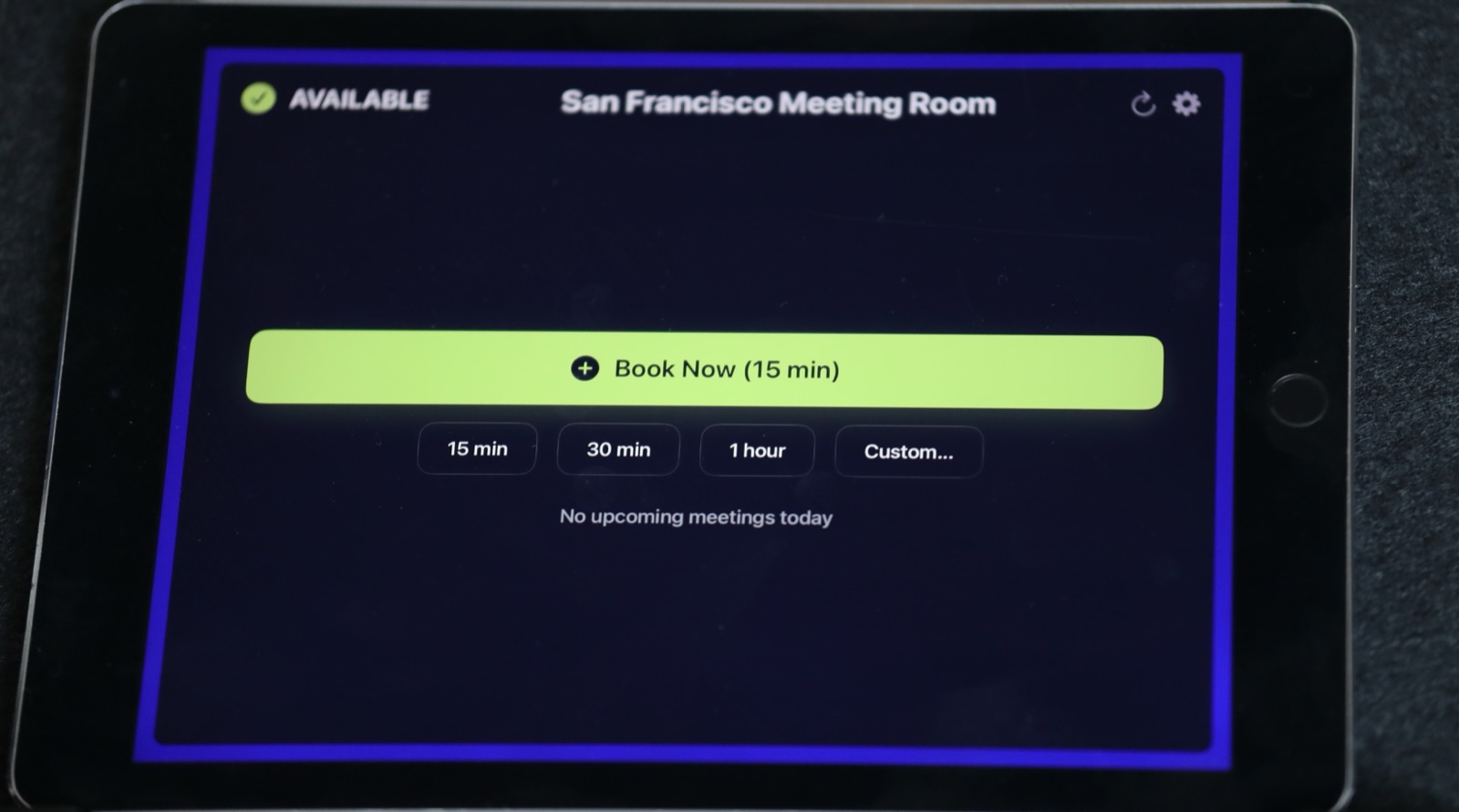
On top of that, freelance editors, voiceover talent and client teams walk around who can't see your calendar and shouldn't have to. That's the real problem a door display solves in an agency: anyone, staff or not, can see at a glance whether a space is free, who has it, and until when.
Setting it up space by space
Client presentation rooms and pitch rooms
These are your shop window. Book them with the client meeting invite itself, so the room is attached to the actual event and not a separate "hold" someone forgets to clear.
Two habits help a lot:
- Block prep time. If the pitch is at 2 pm, book the room from 1 pm. Cables, screen checks, putting the boards up. Nothing says "we're disorganized" like the creative director plugging in an HDMI adapter while the client watches.
- Think about what the door says. If the display shows the meeting title, "Pitch: [Client name] rebrand" is visible to everyone walking past, including the competing client you have in the next room at 3 pm. More on this in my post on what your conference room tells clients before the meeting starts.
Edit suites
Edit suites are where I'd put a display first. The classic failure is someone opening the door mid-session to check if the room is free, or an editor arriving for a booked session to find someone else has walked in "just for an hour".
Book them in half-day or full-day blocks, and name them by setup ("Edit 1 – Resolve") so producers book the right one.
Check-in matters here too. With The Room Display, at the start of a booking the screen asks someone to tap to check in; if nobody does within 5, 10 or 15 minutes (you choose, default 10), the booking is released and the suite shows as free again. For edit suites that get speculatively booked "in case the client wants changes", that's useful. For long sessions where the editor might arrive 20 minutes late, set the window to 15 minutes or tell editors to tap in when they arrive.
Sound and VO booths
Mount the display outside the booth, at eye height next to the door. The point is that someone can see "In use until 3:30" without touching the handle. Red means stay out, and in a booth with a live recording, that's the whole job.
Production rooms and war rooms during event builds
For event agencies, the war room is the most interesting case. During a build it's 12 people and a run-of-show taped to the wall; the rest of the year it's a normal meeting room.
Book it as one long recurring block covering the build period, with the event name as the title. When the event's over, the block ends and the room goes back into general circulation automatically. Nobody has to remember to "release" it. If your teams are fighting over shared rooms during show season, I wrote a separate piece on room scheduling for event teams that share rooms.
Rehearsal spaces, small rooms and phone booths
If talent or external crew use your rehearsal space, a door display saves your front desk a lot of "which room is it?" questions. Small rooms and phone booths are mostly used on the fly; a display with instant booking means someone can walk up, tap "30 minutes" and the room is theirs, recorded in the calendar so nobody else books over it. I covered this in more detail in walk-in meeting room booking.
Equipment: camera kits, lenses and audio packs
This is the bit most agencies overlook. Both Google Workspace and Microsoft 365 let you create calendar resources that aren't rooms. In Google you can set the resource category to something other than a conference room; in Microsoft 365 you can create equipment mailboxes. Either way, a camera kit becomes something people add to an invite, just like a room.
How I'd do it:
- Create one resource per kit, not per item. "FX6 Kit A" with body, two batteries, cage and a 24-70 is more useful than six separate resources.
- Book the kit for the full shoot window, including prep and return day. If the shoot is Tuesday, book Monday afternoon to Wednesday morning.
- Put a printed label on the case with the resource name, so what's on the calendar matches what's on the shelf.
- Make returning it someone's job. The calendar knows when the kit should be back. It doesn't know if it actually is.
You don't need a display for kits. Nobody stands in front of a Pelican case wondering if it's free. The calendar is enough. There's more on this approach in booking anything, not just rooms.
Where a door display stops and a resource-planning tool starts
I want to be straight about this, because I'd rather you buy the right thing.
A door display like The Room Display shows whether a space is free, lets people book it on the spot, and releases no-shows. It reads and writes to your existing Google or Microsoft calendar. That's it.
It does not:
- schedule crew or freelancers against projects
- track billable hours or equipment rental charges back to clients
- manage kit check-out with barcodes and damage reports
- give you utilization dashboards or reporting
If you run a big rental inventory or bill clients for suite time, look at a proper resource-planning or rental-management platform. But many agencies just need people to stop double-booking the edit suite and knocking on the booth door. For that, your existing calendar plus a screen on the door is plenty.
What it costs
The usual dedicated room panels run around $500 to $2,000 per unit, often with a $15 to $30 monthly subscription on top. For an agency with, say, two client rooms, three edit suites, a booth and a war room, that's seven doors.
With The Room Display it's $99 per iPad, one time. Any iPad on iOS 15 or later works (2017 onwards), so seven doors is $693 for the app, often on iPads already sitting in a drawer. No subscription, and the calendar data goes straight between the iPad and Google or Microsoft rather than through a third-party booking cloud.
Frequently asked questions
Can I book camera equipment the same way as rooms?
Yes. In Google Workspace you create a calendar resource for the kit, and in Microsoft 365 you create an equipment mailbox. People then add the kit to the shoot invite like a room. You don't need a door display for equipment.
Should edit suites use check-in and auto-release?
Usually yes, with a generous window. Speculative bookings ("just in case the client wants changes") are common, and auto-release frees those up. Set the window to 15 minutes if editors tend to arrive a little after the booked start.
Will the display show our client's name on the door?
It shows the meeting title from the calendar. If titles contain client names, everyone walking past can read them. Many agencies use neutral titles for client meetings, or mark them private so the door shows "Private Meeting" instead.
How do freelancers book rooms if they're not in our Google or Microsoft account?
They can walk up and use instant booking on the iPad, which creates the booking in your calendar. For planned sessions, a producer or studio manager books on their behalf and adds them to the invite.
Is a door display enough for an event agency in show season?
For rooms, often yes. For crew, kit logistics and run-of-show management, no. Use a door display to keep rooms honest, and use your production tools for everything else.
Getting started
If your studio manager is currently the human calendar, start with the two or three doors that cause the most friction, usually the edit suites and the client room. It's $99 once per iPad, setup takes about ten minutes per room, and you can add more doors when you see whether it sticks.
Related guides
- Rooms, Cars, Cameras: If It Has a Calendar, It Can Have a Display
- How to Stop Meeting-Room Hoarding and Recurring-Meeting Bloat
- 100+ Meeting Room Name Ideas Your Team Will Actually Use