Insights
What Your Conference Room
Tells Clients First
The 90 seconds before a client meeting say a lot. A founder
Conference room first impressions are formed in the 90 seconds between a client walking in your front door and the meeting actually starting. Clients notice whether anyone expected them, whether they can find the room, whether the room is actually free, and what's written on the door. Most of the failures are small, cheap to fix, and almost entirely about the calendar matching reality.
I've been the client in a lot of these rooms. As a photographer and videographer, I spent years walking into other people's offices with a camera bag, and I can tell you that you learn more about a company in those 90 seconds than in the first half hour of the meeting.
The 90 seconds, step by step
Let's walk through it from the client's side.
0–15 seconds: reception. They give their name. Does the person at the front know they're coming? Is there a name on a list, or does someone have to message around to find out who they're meeting?
15–40 seconds: wayfinding. Someone says "it's the Fjord room, down on the left". The client walks down the corridor. Are the rooms labeled? Can they tell which one is Fjord?
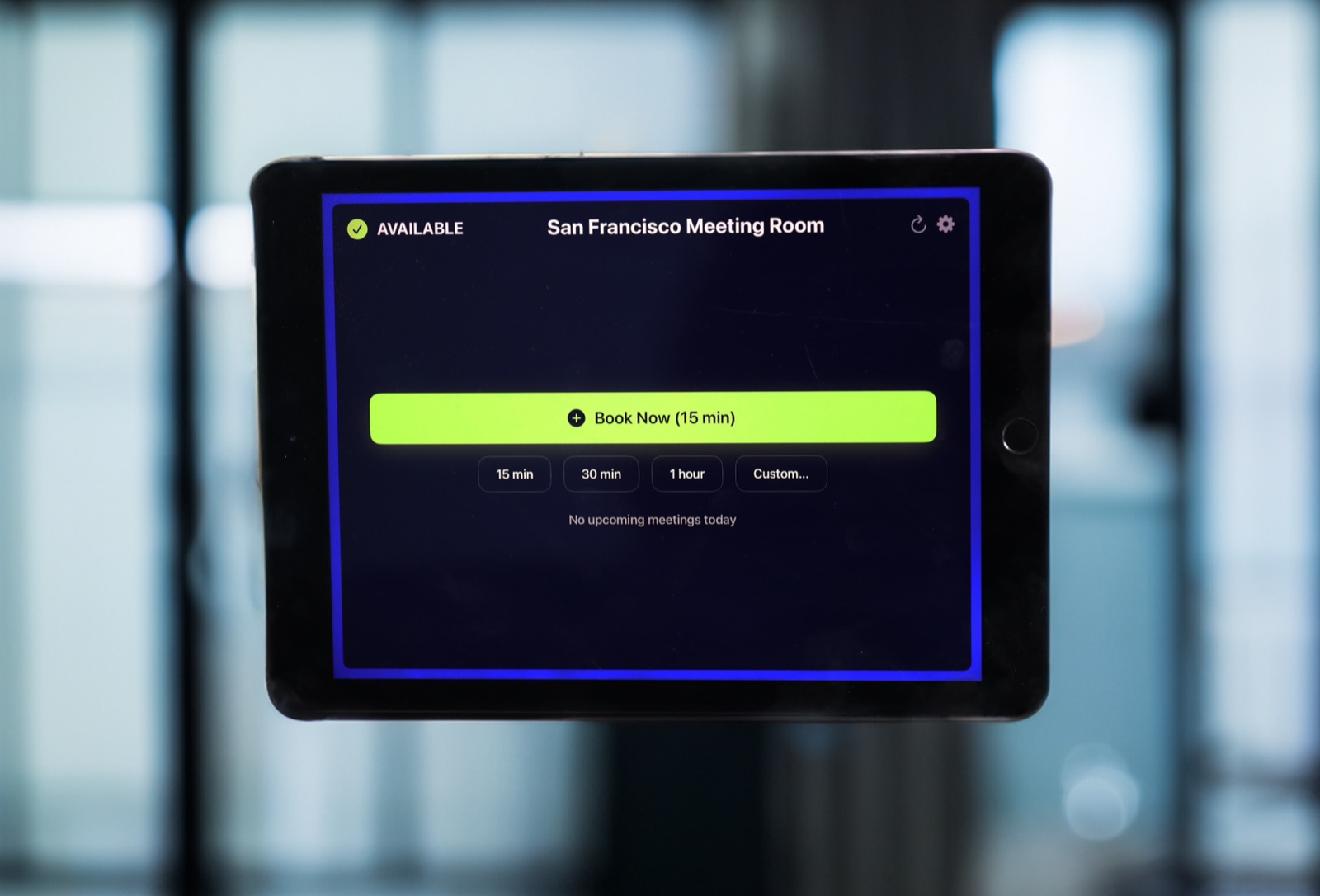
40–60 seconds: the door. They arrive. There's a sticky note that says "BOOKED 2–3 PM!!" from what looks like last Tuesday. Or there's a screen. What does it say?
60–90 seconds: the room. They open the door. Is it empty? Is someone in there finishing a call who looks up, surprised? Are there cables everywhere, half-eaten sandwiches, someone else's strategy on the whiteboard?
Every one of those moments is a small signal. None of them is fatal on its own. Stack three together and the client has already decided you're a bit chaotic, before you've said a word.
The checklist: first-impression failures and how to fix them
| First-impression failure | What the client sees | Fix |
|---|---|---|
| Reception doesn't know they're coming | "Who are you here to see?" followed by a search | Add the visitor to the invite note, or forward the invite to reception |
| Rooms aren't labeled | Client wanders, peeks into wrong rooms | Clear room names on or beside every door |
| Sticky note on the door | Handwritten, often out of date | Remove notes; let the calendar be the single source of truth |
| Someone squatting in the booked room | Awkward eviction in front of the client | Book the room properly, plus a display that shows it's booked |
| Previous meeting overruns | Client waits in the corridor | Book 10–15 minutes of buffer before client meetings |
| Door display shows a sensitive title | "Q3 layoffs planning" or another client's name in plain view | Use neutral titles, or mark the meeting private |
| Cables and adapters everywhere | Host fumbling with HDMI while the client watches | Arrive early, test the screen, keep a labeled adapter kit in the room |
| Last meeting's whiteboard | Someone else's notes, sometimes confidential | Wipe the whiteboard as part of room etiquette |
| Wrong room size | Four people in a 14-seat boardroom, or eight squeezed into a four-seat room | Book by headcount; name rooms with capacity in mind |
| Empty "booked" rooms next door | Client sees idle rooms while you scrambled for one | Auto-release bookings when nobody checks in |
Print it out, stick it on the inside of the cupboard where you keep the coffee pods, and go through it before the next important meeting.
The privacy problem nobody thinks about
I want to spend a minute on the one that surprises people most: what's written on the door.
If you have room displays, or even just a calendar printout, the meeting title often shows up for everyone to see. Most people write meeting titles for themselves, not for an audience. So you get things like:
- "Q3 layoffs planning"
- "[Competitor client name] pitch prep"
- "Performance review – Mark"
- "Acquisition talks – DO NOT SHARE"
Now imagine your client walking past that on their way to your meeting.
The fix is easy. Agree as a company that titles on bookable rooms are written for a general audience. For the meetings that really are sensitive, mark the event private in Google Calendar or Outlook. The Room Display then shows "Private Meeting" instead of the title. On Microsoft 365 you can also set a room mailbox to replace the subject with the organizer's name. I went through the trade-offs in detail in showing meeting title or organizer name.
My personal preference for client-facing rooms: titles a client could read without anyone wincing. "Design review until 3:00" tells everyone what they need to know and nothing they shouldn't.
The squatter problem
This one is the most awkward. The meeting is booked. The client arrives. And there's someone from your own company in the room, on a call, who glances up and holds up "one minute" with a finger.
It almost always happens because the room looked free. No one was in it when the squatter walked by, there was no sign on the door, and checking the calendar felt like effort.
A screen on the door that turns red and says "Booked from 2:00 – Sara" fixes most of this. People are surprisingly good at respecting a booking when they can actually see it. The rest is etiquette: if you've borrowed an unbooked room, you leave when the booking starts, no negotiation. That's one of the rules I'd put on the wall from my post on meeting room etiquette.
The buffer
The single best habit for client meetings: book the room 15 minutes before the client is due.
Fifteen minutes gives you time to wipe the whiteboard, check the screen works, find the adapter, close the blinds, and stand in the doorway when they arrive, rather than sprinting in from your desk. It also absorbs the previous meeting running five minutes over without the client waiting in the corridor.
It feels wasteful. It isn't. Compare 15 minutes of a room against the cost of starting a client relationship looking unprepared.
Where the screen goes matters too
If you do put displays on doors, mount them where a client naturally looks: beside the door at roughly eye height, on the handle side. Not above the door, not around the corner, not at knee height because that's where the power outlet was. I wrote a whole guide on where to mount a meeting room display for this reason.
And the screen itself should be calm. Big room name, clear status, the current meeting and what's next. No ads, no rotating news feed, no spinning logos. A good room display is boring in the best way. I have opinions on this in what a genuinely good room display looks like.
What I built, and what it doesn't fix
I built The Room Display partly because of all those 90-second moments. It's an iPad app that sits on the door and shows whether the room is free (green) or in use (red), who has it, and what's next, straight from your Google Workspace or Microsoft 365 calendar. It refreshes every 30 seconds, so it's never last Tuesday's sticky note. If a booking isn't checked in within a few minutes, it releases the room so it doesn't sit empty.
What it won't do: it won't tell reception who's arriving, it won't tidy your whiteboard, and it won't fix the HDMI adapter. Those are human jobs. A screen on the door handles one part of the first impression. The rest is habit.
Frequently asked questions
What do clients notice first when they arrive for a meeting?
Usually whether anyone expected them. A receptionist who knows their name and which room they're going to sets the tone. Next comes how easily they find the room and whether it's ready.
Should a meeting room display show the meeting title?
For rooms clients walk past, only if the titles are written for an audience. Meeting titles are often written casually and can reveal sensitive information, like another client's name or internal HR topics. Use neutral titles in those rooms, and mark anything sensitive as private so the door shows "Private Meeting".
How much buffer time should I book before a client meeting?
Ten to fifteen minutes is enough for most meetings. It covers setup, tech checks and the previous meeting running over, so the client never waits in the corridor.
How do I stop people using a booked room?
Make the booking visible on the door, and agree a simple rule: if a booking is about to start, you leave. Most squatting happens because people can't see that the room is booked.
Do I need expensive hardware for room displays?
No. Dedicated panels typically cost $500 to $2,000 per unit plus a monthly subscription, but any iPad on iOS 15 or later can do the same job with the right app.
One small fix this week
Pick your main client room and walk the 90 seconds yourself, starting at reception. Note every moment that feels off. Most of them will cost nothing to fix. If the door is one of them, The Room Display is $99 once per iPad, and you can have it running before your next client arrives.
Related guides
- Customizing Your Room Display: Themes, Colors, and Branding
- Room Display Privacy in Lobbies and Open-Plan Offices
- How to Choose a Meeting Room Display: 7 Questions to Ask Before You Buy