Best Practices
Room Scheduling for
Event Production Teams
When teams share rooms during show season, things break. Practical room scheduling for event teams: client calls, run-of-show reviews, hybrid producers.
Room scheduling for event teams breaks down when several teams share the same rooms under deadline pressure: account teams hold rooms "just in case", recurring meetings pile up, and production can't find space for a run-of-show review. The fix is a short set of rules (book with the real invite, cap recurring holds, release no-shows automatically) and a screen on each door so everyone can see which rooms are actually in use. You don't need a new platform for it; your existing Outlook, Teams or Google calendar can carry the bookings.
I've talked to a lot of event agencies about this, and the story is always the same. The office feels fine from January to March. Then show season hits, every team needs rooms at the same time, and suddenly the producers are doing client calls from the stairwell.
Who needs which rooms, and when
Here's a typical picture of how teams use rooms in an event production company of around 40 people. Your mix will differ, but the collisions usually happen in the same places.
| Who | What they need rooms for | Typical booking | Where it goes wrong |
|---|---|---|---|
| Account teams | Client calls, status meetings | 30–60 min, often recurring weekly | Recurring holds nobody uses, room hoarding before pitches |
| Producers | Run-of-show reviews, supplier calls | 60–90 min, clustered near show dates | Can't find a free room in the last two weeks before a show |
| Creative / design | Concept reviews, sign-off sessions | 1–2 hours, ad hoc | Booked late, lose out to recurring holds |
| Technical / AV leads | Production meetings, CAD walkthroughs | 1–3 hours, need a big screen | The one room with the big screen is always taken |
| Hybrid producers | Calls with on-site crew, venue walkthroughs over video | 30–60 min, short notice | Book a big room for a solo call because small rooms are full |
| Leadership | Pipeline, forecasting, hiring | Recurring weekly or biweekly | Blocks the best room every week, even when it moves |
If you lay that over a calendar for the two weeks before a major show, you'll see the problem. It's not that there aren't enough rooms. It's that the rooms are booked by meetings that either aren't happening or don't need that room.
The show-season crunch
During a build, the production team effectively needs a war room. Meanwhile account teams still have their recurring client calls, creative still needs a review room, and three people are trying to take a call with the venue at the same time.
What usually happens when teams share rooms under that kind of pressure:
- Someone books the big room for the entire week "for the build".
- Everyone else books whatever's left, often bigger than they need.
- Recurring meetings from six months ago still hold rooms every Tuesday and Thursday.
- People stop trusting the calendar and start walking the corridor looking for an empty room.
- Someone walks into a room that looks empty, gets thrown out ten minutes later.
The fix isn't a bigger office. It's making the calendar match reality.
Five rules that actually work for teams sharing rooms
1. Book the room with the real invite
When you schedule a client call in Outlook or Teams, add the room to that invite. Don't create a separate "hold" for the room. When the meeting moves, the room moves with it. When the meeting is canceled, the room is freed.
The same goes for Google Calendar. One event, with the room attached as a resource. If you're in Microsoft 365, I've written up exactly how booking from Outlook and Teams shows up on the door display.
2. Give the war room a start and an end date
If production needs a dedicated room during the build, great. Book it as a block with a clear end date, named after the event. When the show's over, the block ends. No one has to remember to clear it, and the room goes back to the pool for all teams.
3. Audit recurring meetings every quarter
Recurring meetings are where rooms go to die. A weekly status meeting set up last spring for a client you no longer work with can quietly hold a room every week, forever.
Once a quarter, pull the list of recurring bookings for each room and ask the organizers one question: "Is this still happening, and does it still need this room?" Most calendars let admins see a room's full schedule. You'll typically find a few that can go.
4. Release no-shows automatically
The most useful single change for teams sharing rooms is auto-release. If nobody checks in within a few minutes of the start time, the booking goes away and the room shows as free.
This kills "just in case" bookings without anyone having to police them. Account teams can still book ahead for client calls; they just have to actually turn up. I go into the habits behind this in how to stop meeting room hoarding.
5. Match room size to the meeting
A solo hybrid producer on a call with the venue doesn't need the 12-seat boardroom. Name your rooms with their capacity in mind, and nudge people toward phone rooms and small huddle spaces for one- and two-person calls. It sounds obvious. During show season it's the first thing to go.
Client calls vs internal production meetings
One thing worth deciding as a company: which rooms are for clients, and which are for internal teams?
Client calls often happen over video, but the room still matters. Background, sound and lighting say something about you. (I'm a videographer. I notice.) Internal production meetings, on the other hand, can happen anywhere with a screen and a whiteboard.
A simple split that works for many event agencies:
- Client-facing rooms: one or two rooms with good acoustics, decent lighting and a tidy background. Account teams get priority.
- Production rooms: rooms with big screens and wall space for run-of-show printouts. Producers get priority, especially in the weeks before a show.
- Open pool: everything else, first come, first served.
Write this down in a short room policy, pin it in your Teams channel or wherever your teams actually read things, and make sure the room names reflect it.
Hybrid producers and video-first rooms
Hybrid work changed room demand more than most people expected. Producers who are on-site at the venue for half the week dial in to production meetings, which means the office side now needs a room with a camera and a decent mic for every meeting that used to happen in an open area.
I wrote more about this shift in hybrid work and meeting room demand. For event teams, the practical upshot is that rooms with video setups are scarcer than plain rooms, and should be protected from meetings that don't need them.
Making it visible on the door
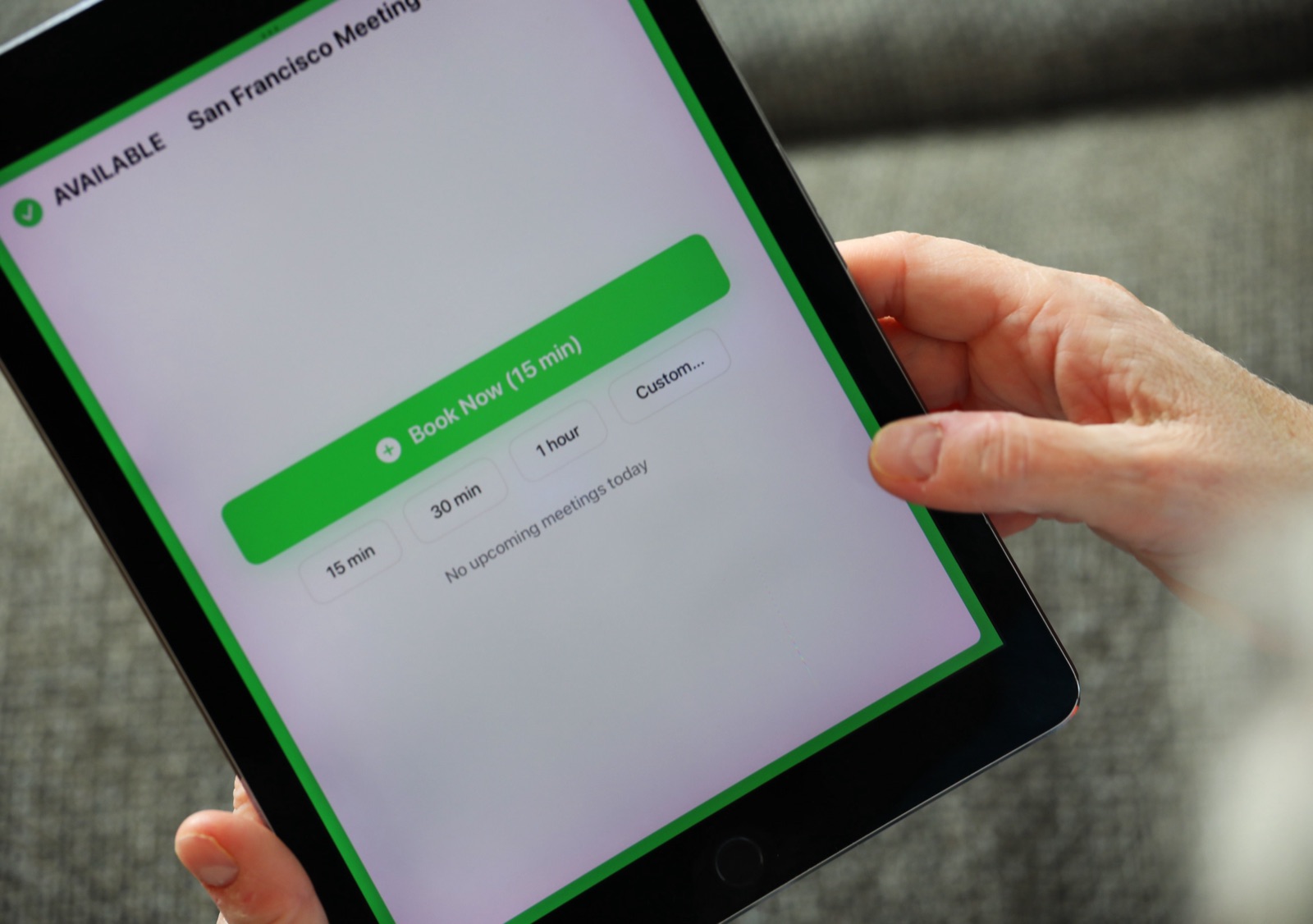
Rules work better when people can see them in action. A display outside each room shows whether it's free (green) or in use (red), who has it, and what's coming up next. People stop opening doors to check, and nobody has to guess whether "the build team" is still using the war room.
That's what we built The Room Display for. It turns any iPad on iOS 15 or later into a room display that reads directly from Microsoft 365 or Google Workspace. When someone books a room from Outlook or the Teams calendar, it appears on the door within about 30 seconds. People can also book on the spot from the iPad, and the check-in prompt releases the room if nobody shows up within 5, 10 or 15 minutes.
To be clear about what it isn't: it's not a Microsoft Teams Rooms device, and it doesn't start, join or control Teams or Zoom calls. It's a room status display. If you're comparing the two, I wrote about using an iPad as a Microsoft Teams room display and where each makes sense.
Frequently asked questions
How do I stop one team from hoarding all the rooms?
Turn on auto-release so unused bookings free up automatically, and review recurring meetings every quarter. Hoarding mostly comes from "just in case" bookings, and those disappear when people have to check in.
If I book a room in Outlook or the Teams calendar, does it show on the door display?
Yes. When you add the room to a meeting in Outlook or the Teams calendar, the booking lands in the room's mailbox in Microsoft 365. The Room Display reads that and shows it on the door, refreshing every 30 seconds.
Is The Room Display a Microsoft Teams Rooms system?
No. It doesn't run Teams meetings or control any video equipment. It shows room availability and lets people book rooms, using your existing Microsoft 365 or Google Workspace calendars.
Should our production team have a permanent war room?
Only if you have the space to spare all year. Most event agencies are better off booking a war room for the build period with a clear end date, so the room returns to general use after the show.
How often should we audit recurring room bookings?
Quarterly works for most teams. Do an extra one just before your busiest season, because that's when stale recurring holds hurt the most.
The short version
When teams share rooms, the calendar has to tell the truth. Book with the real invite, give war rooms an end date, prune recurring meetings, and let no-shows release themselves. If you want the door to show what the calendar says, The Room Display is $99 once per iPad, with no subscription.
Related guides
- Meeting Room Check-In, Explained: How Auto-Release Kills Ghost Meetings
- Meeting Room No-Show Protection 2026: How Auto-Release Works
- Office 365 Room Booking: Show Outlook Room Availability on a Display