Best Practices
Real Estate Offices
Conference Room Booking for Closings and Clients
Conference room booking for US real estate brokerages: agents book from their phones, closings get buffers, and offer details stay off the door.
Short answer: Make the brokerage conference room a calendar resource in Google Workspace or Microsoft 365, so agents book it from their phones like any meeting. Keep client names, addresses and offer amounts out of titles, book closings with setup time, and release no-show holds automatically. A display like The Room Display at the door shows who has the room and until when.
A typical brokerage has dozens of agents and one or two conference rooms. Most of the time that's fine, because agents are out showing homes. Then it's Thursday evening, three offers are due, a listing presentation is tomorrow morning, and everyone needs the room at once.
Who uses the conference room in a brokerage?
Real estate offices use the conference room differently from most companies. Agents are rarely in the office, bookings cluster in evenings and weekends, and many meetings involve clients who've never been in the building.
| Meeting | Typical length | Who's in the room | A safe title for the door |
|---|---|---|---|
| Listing presentation or seller meeting | 1 to 1.5 hours | Agent, sellers | "Client meeting" |
| Buyer consultation | 1 hour | Agent, buyers | "Client meeting" |
| Offer review or negotiation call | 30 to 60 minutes, often evenings | Agent, sometimes clients | "Private Meeting" (mark it private) |
| Signing or closing | 1 to 2 hours | Buyers or sellers, agent, notary or closing agent | "Signing" |
| Weekly sales meeting | 1 hour, recurring | Agents, managing broker | "Sales meeting" |
| Training session | 1 to 3 hours | Agents | "Training" |
A closing is the appointment where the final documents are signed and the property changes hands. Where it happens depends on your state and your title, escrow or attorney partner. In some markets, closings happen at the title company or the attorney's office. In others, brokerages host signings in their own conference room, often with a mobile notary. If yours does, that's the booking that matters most to get right.
Agents book from their phones
Most US agents are independent contractors affiliated with a brokerage, not employees. Many brokerages still give every agent a brokerage email account on Google Workspace or Microsoft 365. If yours does, agents can book the conference room the same way they create any calendar event: open Google Calendar or Outlook on the phone, add the room, done. I walked through the Google side in how to book a Google Workspace meeting room from your phone.
Some people who use the room won't have a brokerage account: a team's transaction coordinator on their own domain, a lender, a mobile notary. They can't book your rooms from their own calendars. The agent or the front desk books for them and adds them to the invite.
The privacy problem: addresses and offer amounts
This one is specific to real estate. A meeting title written for yourself might read "Offer review: 412 Maple, $615k, Rivera". That's fine in your own calendar. On a screen beside the conference room door, it's visible to every agent walking past, and to their clients.
Now picture another agent's buyer, who is bidding on 412 Maple, sitting in the lobby. You don't want that.
The fix is a written title rule, plus the private flag:
- Titles never include client names, addresses or prices. "Client meeting" or "Signing" is enough.
- Negotiations and offer reviews are marked private. In Google Calendar, set Visibility to Private. In Outlook, use the Private option. The Room Display then shows "Private Meeting" instead of the title.
- The organizer's name is fine to show. It tells other agents who to ask about the room.
My post on what your conference room tells clients before the meeting starts covers the rest of a client's first 90 seconds.
How to set it up in 7 steps
- Create the room as a resource. In Google Workspace, add it under Admin console > Directory > Buildings and resources. In Microsoft 365, create a room mailbox. Name it so agents recognize it ("Main Conference Room").
- Decide who can book. Usually all agents and staff. If the managing broker wants to approve closings, set that up as a resource setting in Google or Microsoft (restricted booking or a delegate). The app doesn't do approvals.
- Publish the title rule. One line in your agent handbook: no names, addresses or prices in room booking titles.
- Book closings with buffers. Add 30 minutes before for printing, seating and the notary's setup, and 15 minutes after. A 2 pm signing books 1:30 to 3:45.
- Mount a display beside the door. At eye height, on the handle side, with constant power and Wi-Fi.
- Brand it. Pick Classic, Midnight or Custom colors, and add your brokerage logo. See customizing your room display.
- Turn on check-in. More on that below.
What does the door display do?
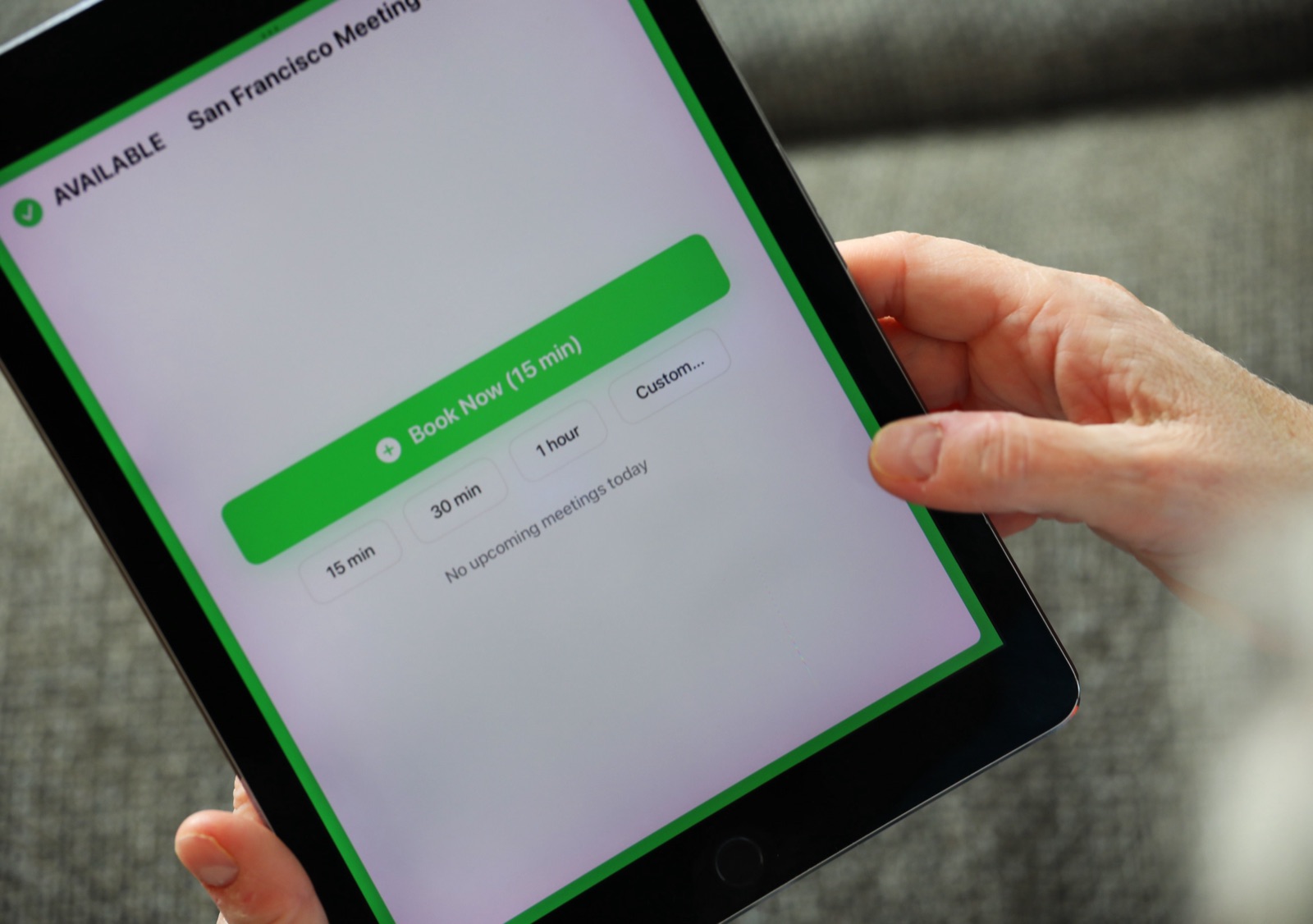
The Room Display is an iPad app that shows one room's calendar on the door. The colored ring around the screen is green when the room is free and red when it's in use, with "Ending soon" in the last few minutes. It shows the current booking, the organizer's name, the time left and the rest of today's bookings, refreshing every 30 seconds.
For a brokerage, three things stand out:
- Walk-up booking. An agent back from a showing needs the room for a 20-minute call with a buyer. They tap "30 min" at the door, and the booking lands in the room's calendar. No laptop, no phone.
- Check-in and auto-release. Agents hold the room "just in case" the sellers can make it. With check-in on, the display asks someone to tap in when the booking starts. If nobody does within 5, 10 or 15 minutes, the booking is released. I'd pick 10, the default. On Microsoft 365, check-in needs Direct Room Access, which an admin grants to the iPad's account.
- No hallway cancellations. A scheduled booking can't be cancelled from the screen, so nobody can bump a closing by tapping the door.
It's a calm piece of digital signage that clients actually read: room name, your logo, "Available", and the time of their appointment. It costs $99 per iPad, paid once. Dedicated room panels typically cost $400 to $1,300 each plus $8 to $42 per room per month. For a two-room office, that's $1,760–$7,640 over five years for the same job.
When The Room Display isn't the right fit
- You want clients to book the room themselves. People outside your Google Workspace or Microsoft 365 can't book your rooms. Agents and staff book for them.
- You need transaction management or e-signatures. That's your transaction platform. The display only handles the room.
- You need visitor sign-in at reception. The app doesn't check visitors in.
- You want one screen showing every office's rooms. One iPad shows one room. There's no overview screen.
Frequently asked questions
How do real estate agents book the office conference room?
If they have a brokerage Google Workspace or Microsoft 365 account, they add the room to an event from their phone, like inviting a person. Agents and helpers without an account ask the front desk or another agent to book for them.
How do I keep client names off the conference room display?
Make it a rule that titles never include names, addresses or prices, and mark negotiations private. The Room Display shows "Private Meeting" instead of the title for private events.
How much time should we book around a closing?
About 30 minutes before for printing and the notary's setup, and 15 minutes after. Put it all in one booking so the next agent doesn't walk in during the signing.
Do agents have to cancel bookings they don't use?
They should, but they often forget. Turn on check-in at the door, and bookings nobody checks in to are released automatically after 5, 10 or 15 minutes.
Related guides
- What Your Conference Room Tells Clients Before the Meeting Starts
- How to Book a Google Workspace Meeting Room From Your Phone
- Customizing Your Room Display: Themes, Colors, and Branding