Best Practices
Wellness and Nursing Rooms
Booking With Discretion
How to set up wellness and nursing room booking in Google Workspace or Microsoft 365 so the door shows In Use, not who is inside or why.
Short answer: Make the wellness or nursing room a calendar resource, mark every booking private, and keep titles neutral. A door display such as The Room Display then shows the room as In Use, with "Private Meeting" in place of a reason. The organizer's name can still appear, so for full discretion, book at the door or have HR book recurring slots on the person's behalf.
A wellness room is the one room where nobody should have to explain themselves, and where a knock at the wrong moment is most awkward. Booking it well is mostly about what you don't show.
Why a wellness room isn't just another meeting room
A wellness room is a small private room for pumping, prayer, rest, taking medication or a quiet break. A nursing room (or lactation room) is the same idea, set aside first for parents who pump at work. Many offices combine the two.
They differ from meeting rooms in three ways:
- The reason is personal. It's nobody's business.
- Bookings repeat. A parent who pumps might need the room two or three times a day, 20 to 30 minutes each time, at roughly the same hours for months.
- The door question is different. Interrupting is never okay. People just need to know if it's occupied and when it's free.
In the US, the federal PUMP Act (2022) extended the requirement for most employers to provide break time and a private space, other than a bathroom, for employees to express breast milk for a year after a child's birth. Many states add their own rules. This isn't legal advice, so check your obligations with HR or counsel. I can help with the booking part.
What should the door show?
Here's how the common setups compare on what a passer-by learns.
| Setup | Free or busy visible at the door? | Shows the reason? | Shows a name? | Best for |
|---|---|---|---|---|
| Paper "Occupied" slider | Only if people remember to flip it | No | No | Rooms nobody books ahead |
| Calendar resource, no display | No, you check your phone | In the calendar, unless private | In the calendar | Teams that always book ahead |
| Display, normal events | Yes | Yes, the title | Yes, the organizer | Not recommended here |
| Display, private events booked by the person | Yes | No, "Private Meeting" | Yes, the organizer | People who don't mind their name showing |
| Display, slots booked at the door or by HR | Yes | No, a neutral title | Not the person's | Full discretion |
The last row needs explaining. When someone books from their own calendar, the display shows their name as organizer, even on a private event. There's no app setting to hide names. Two workarounds:
- Book at the door. A walk-up booking on the display is written to the room's calendar with a neutral default title ("Meeting Room Booking"). It doesn't come from the person's own calendar, so their name isn't on it.
- Let HR or the office manager book recurring slots. The organizer is then the office manager, and the door says "Private Meeting, Dana (Office)" instead of the parent's name.
How to set it up in 7 steps
- Create the resource. In Google Workspace, add it under Admin console > Directory > Buildings and resources. In Microsoft 365, create a room mailbox (
New-Mailbox -Roomin Exchange Online PowerShell, or through the Exchange admin center). Name it for the room ("Wellness Room 3"), never for a person. - Decide who has priority. Most offices give nursing parents priority and let everyone else use the room when it's free. Write that down.
- Teach the private flag. In Google Calendar, set Visibility to Private. In Outlook, use the Private (padlock) option. The Room Display then shows "Private Meeting" instead of the title.
- Use neutral titles anyway. "Booked" is plenty, and it covers the times someone forgets the private flag.
- On Microsoft 365, check the subject settings. If the room mailbox has
AddOrganizerToSubjectturned on, Exchange writes the organizer's name into the subject. For this room you probably want it off:Set-CalendarProcessing -Identity "Wellness Room 3" -AddOrganizerToSubject $false. - Mount and lock the iPad. Beside the door, at eye height, on constant power. Lock it to the app with Guided Access, or Single App Mode if you use MDM. More on placement in room display privacy in lobbies and open-plan offices.
- Test it. Book a private event from your own calendar, then walk to the door and read what a stranger would see. Do the same with a walk-up booking.
Turn check-in off for this room
With check-in on, the display asks someone to tap in when a booking starts, and releases the booking if nobody does within 5, 10 or 15 minutes. I explain it in meeting room check-in, explained. On Microsoft 365, check-in needs Direct Room Access, which an admin grants to the iPad's account.
In a nursing room, it does more harm than good. A parent running eight minutes late from a call shouldn't lose their slot. Check-in is off by default and set per iPad, so leave it off here and keep it on elsewhere.
Where a door display fits
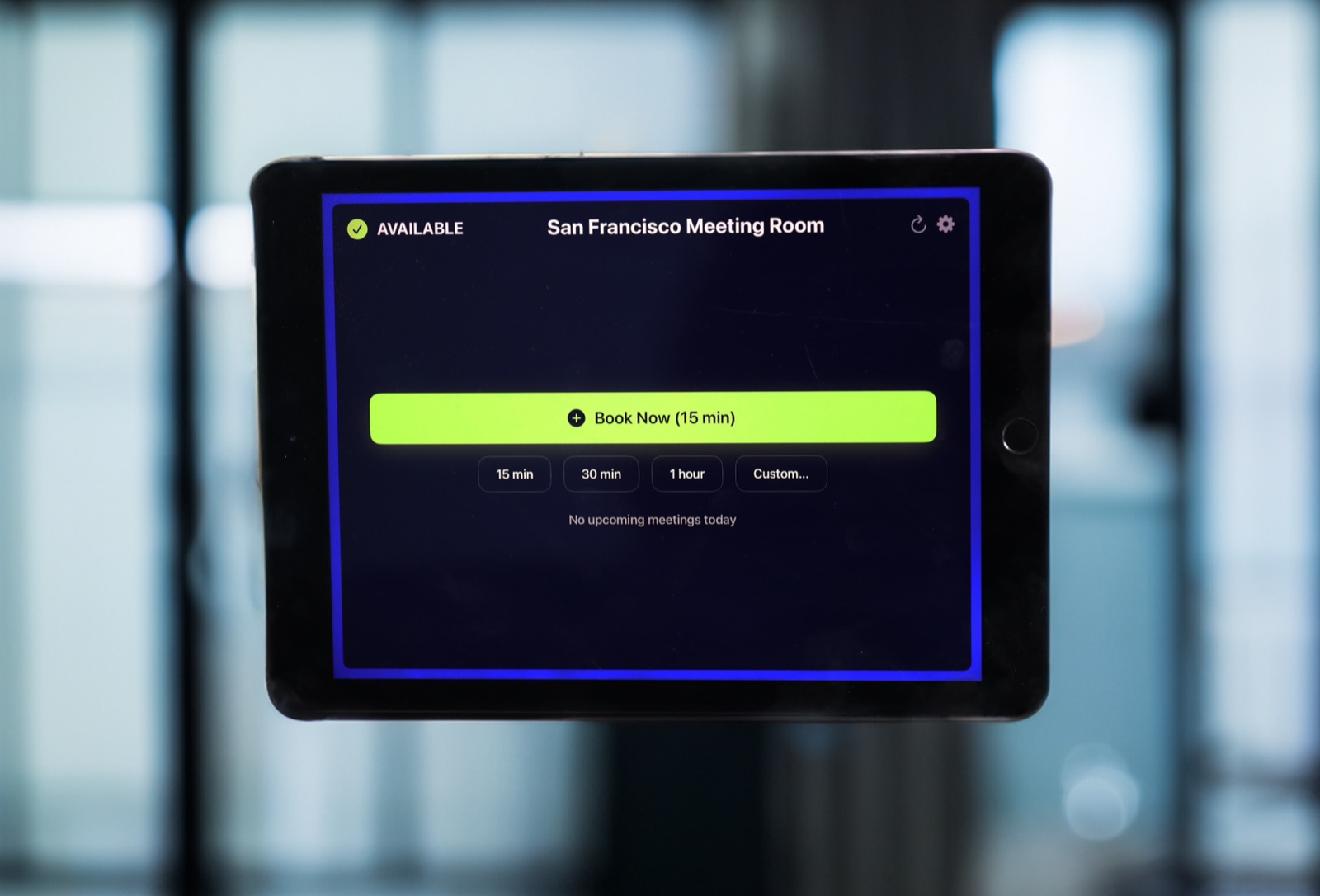
The Room Display shows the room's status with a colored ring around the screen: Available, In Use, or Ending soon (the last few minutes of a booking). It shows time left and the rest of today's bookings, refreshing every 30 seconds. Someone walking up sees "In Use, 14 minutes left" and comes back later, with no knock. It's a small piece of digital signage that does one job.
A few details that help in this room:
- Walk-up booking. "Book Now (15 min)" plus 15 minutes, 30 minutes, 1 hour or a custom length. A walk-up booking can be cancelled within 5 minutes if someone tapped by mistake.
- No cancel button for scheduled bookings. Nobody passing by can wipe out a parent's recurring slot from the hallway.
- Your data stays put. The app talks directly to Google or Microsoft. Bookings aren't copied to a third-party booking cloud.
It costs $99 per iPad, once, with no subscription. Dedicated room panels typically cost $400 to $1,300 each, plus $8 to $42 per room per month. A spare iPad from a drawer works fine, as long as it runs iPadOS 15 or later.
A room policy in five lines
- Nursing parents get priority. Book recurring slots with HR if you'd like your name off the door.
- Nobody needs to give a reason to use the room.
- If the screen is red, don't knock. Check the time left and come back.
- Book the time you need, then leave the room clean.
- Titles on this room are always neutral, and events are private.
When The Room Display isn't the right fit
- You have one lockable room nobody books. If a lock with an "Occupied" indicator works and nobody is fighting over time slots, you don't need a booking system.
- Names must never appear, even on bookings people make themselves. The display shows the organizer's name when there is one, and there's no setting to hide it. Book at the door or through HR instead.
- You need usage records for compliance. The app doesn't keep logs or reports. Your calendar history is all there is.
Frequently asked questions
Should a nursing room be bookable?
Usually, yes. Recurring bookings give parents a guaranteed slot, and walk-up booking covers everyone else. If the room is rarely busy, a lock and occupancy sign can be enough.
How do I hide the meeting title on a room display?
Mark the event private in Google Calendar or Outlook. The Room Display then shows "Private Meeting" instead of the title. Neutral titles like "Booked" are a good backup when someone forgets the private flag.
Will the display show who is using the wellness room?
It shows the organizer's name when the booking has one, even for private events. For discretion, book from the display at the door, or have HR or the office manager book recurring slots so their name shows instead.
Is a lactation room required by law in the US?
Most US employers must provide break time and a private space that isn't a bathroom under the federal PUMP Act, and some states go further. This isn't legal advice, so check the specifics with HR or counsel.
Can someone cancel a nursing booking from the hallway?
No. Scheduled bookings can't be cancelled from the display. Only a walk-up booking made on the display can be cancelled, and only within 5 minutes.
Related guides
- Room Display Privacy in Lobbies and Open-Plan Offices
- Should a Room Display Show the Meeting Title or the Organizer's Name?
- Meeting Room Check-In, Explained: How Auto-Release Kills Ghost Meetings