Pricing
Room Displays for Schools
The Real 5-Year Cost
What room displays really cost a school over 5 years: per-room subscriptions vs a one-time $99 iPad app, with a worked 12-room example and budget tips.
The room display cost for schools comes down to one question: are you paying once, or every month for every room? Dedicated room panels typically run $500 to $2,000 per unit plus $15 to $30 per room per month, so a 12-room rollout lands somewhere between about $17,000 and $46,000 over five years. The same 12 rooms on iPads with a one-time $99 app come to roughly $6,000 with new base iPads, or around $2,000 if you reuse retired 1:1 iPads. The arithmetic is below, so your business office can check it.
I'm the founder of The Room Display, so read this knowing I have a horse in the race. I've tried to show every number so you don't have to take my word for anything.
Why five years is the right lens for a school
Schools tend to buy hardware and then keep it for a long time. A display on a conference room wall in 2026 will very likely still be there in 2031. Comparing year-one prices hides the cost that actually matters: the subscription that renews every July.
Subscriptions also change the type of spending. Hardware bought once is usually a capital or one-time expense. A per-room subscription is an operating cost that has to be re-justified in every annual budget, sits next to faculty salaries and financial aid in the conversation, and quietly grows if you add rooms.
The worked example: 12 rooms
Say you're a mid-sized independent school with 12 spaces worth putting a display on: two conference rooms, the board room, two admissions rooms, two learning-support rooms, three library study rooms and two faculty workrooms.
Assumptions (illustrative, check your own quotes):
- Panels, low end: $500 per panel, $15 per room per month.
- Panels, mid-range: $1,000 per panel, $20 per room per month.
- Panels, high end: $2,000 per panel, $30 per room per month.
- iPad, new: about $330 for a base iPad, plus $99 for the app, plus about $75 for a wall mount.
- iPad, reused: a retired iPad from your 1:1 program (any iPad from 2017 onward running iOS 15+), plus the $99 app and a $75 mount.
- Five years is 60 months.
The arithmetic
Panels, low end - Hardware: 12 × $500 = $6,000 - Subscription: 12 × $15 × 60 = $10,800 - Five-year total: $16,800
Panels, mid-range - Hardware: 12 × $1,000 = $12,000 - Subscription: 12 × $20 × 60 = $14,400 - Five-year total: $26,400
Panels, high end - Hardware: 12 × $2,000 = $24,000 - Subscription: 12 × $30 × 60 = $21,600 - Five-year total: $45,600
New iPads + The Room Display - iPads: 12 × $330 = $3,960 - App: 12 × $99 = $1,188 - Mounts: 12 × $75 = $900 - One spare iPad with app, for the one that breaks: $330 + $99 = $429 - Five-year total: $6,477
Retired 1:1 iPads + The Room Display - App: 12 × $99 = $1,188 - Mounts: 12 × $75 = $900 - Five-year total: $2,088
Side by side
| Option (12 rooms) | Upfront (year 1) | Recurring per year | 5-year total |
|---|---|---|---|
| Panels, low end ($500 + $15/mo) | $6,000 + $2,160 = $8,160 | $2,160 | $16,800 |
| Panels, mid-range ($1,000 + $20/mo) | $12,000 + $2,880 = $14,880 | $2,880 | $26,400 |
| Panels, high end ($2,000 + $30/mo) | $24,000 + $4,320 = $28,320 | $4,320 | $45,600 |
| New iPads + $99 app | $6,477 | $0 | $6,477 |
| Retired iPads + $99 app | $2,088 | $0 | $2,088 |
Not included for any option: running power to the wall, if an outlet isn't already nearby. That cost is the same whichever display you choose, and it varies a lot by building. It's worth getting your facilities team to walk the 12 doors before anyone gets quotes.
What the panel subscription actually buys you
It would be unfair to stop at the totals. Some subscriptions include things you might genuinely need: visitor management, utilization analytics, multi-room overview screens, centralized device management, and vendor support with an SLA. If your school is large, multi-campus, or has a facilities director who will actually use occupancy reports, a full platform can be worth the money.
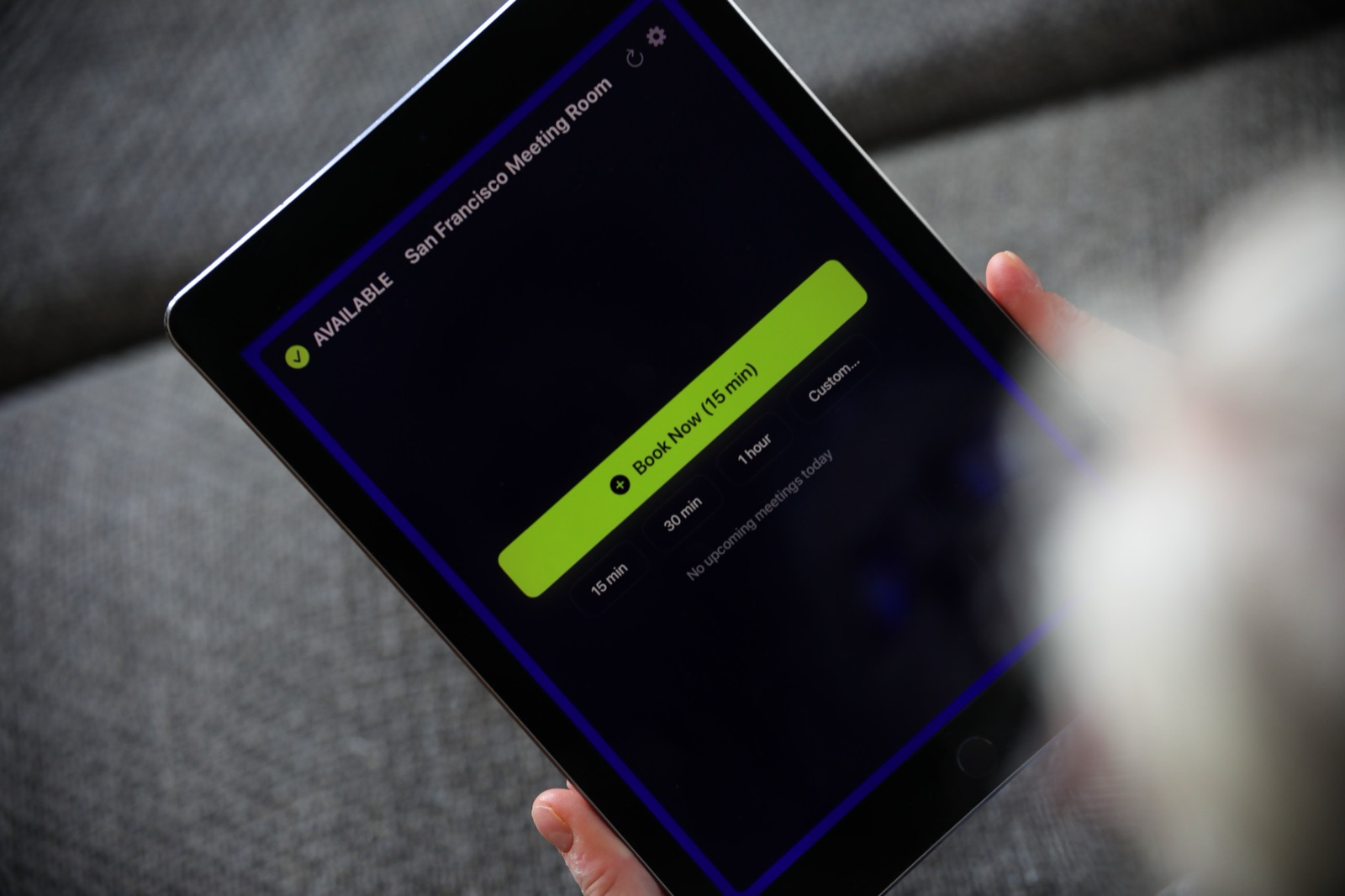
The Room Display doesn't do those things. It shows whether a room is free, who's in it and today's schedule, lets people book on the spot, and releases rooms nobody checks into. It works directly with Google Workspace or Microsoft 365. For most independent schools, that covers the actual problem: people standing at a door not knowing if they can go in.
I've laid out the general version of this trade-off in panel vs tablet vs app: total cost of ownership.
The retired iPad opportunity
Many schools run 1:1 iPad programs and refresh them every few years. The retired devices usually go to a recycler, get sold for very little, or sit in a closet in a cart. A three- or four-year-old iPad that's no longer fast enough for a seventh grader's apps is more than enough to show a room schedule on a wall.
A few practical points:
- Check iOS version. The app needs iOS 15 or later, which covers iPads from 2017 onward.
- Wipe and re-enroll. Remove student data, erase, and re-enroll in your MDM as a shared device, not a student device.
- Batteries. Older iPads on permanent power can develop battery swelling over time. Inspect them occasionally and keep a spare.
- Donated iPads. Families sometimes donate devices. Same checks apply.
More on this in a second life for retired iPads.
Fitting it into the school budget cycle
Most US independent schools run a July 1 to June 30 fiscal year, and budgets are usually drafted in winter and approved by the board in spring. That creates a natural timeline:
- December–February: Gather quotes and make the case to the business office. Show the five-year table, not just the year-one number.
- March–May: Budget approved. If the amount is small enough to fall under a department's discretionary or p-card limit, it may not need a line item at all. Check your own purchasing policy.
- July–August: Install. The building is empty, the IT director has time, and nothing interrupts a conference room for 20 minutes while someone mounts a screen.
- Opening faculty meetings: Two-minute demo, done.
A one-time purchase also has a quieter advantage: nobody has to renew it. Subscriptions fail in boring ways at schools. The person who signed up leaves, the renewal invoice lands in a shared inbox in July, and in August the displays stop working the week school starts.
Making the case to a budget committee
Budget committees and finance committees respond to three things: total cost, recurring cost, and what problem it solves. A one-page proposal should include:
- The problem, in one sentence with a real example from your building. ("Admissions interviews have been interrupted three times this fall by people looking for a meeting room.")
- The five-year table above, with your own numbers.
- Which rooms, and why those.
- Whether you're reusing retired iPads.
- Who installs, and when (summer).
I wrote a fuller template in how to pitch meeting room displays to your boss, which works just as well for a head of school or a CFO. For the bigger picture on school room booking, see room booking for K-12 schools.
Frequently asked questions
How much does a room display cost for a school?
Dedicated panels typically cost $500 to $2,000 each plus $15 to $30 per room per month. An iPad-based display costs the price of the iPad (about $330 new, or nothing if you reuse one) plus a mount and, for The Room Display, a one-time $99 per iPad.
Is a subscription or a one-time purchase better for a school budget?
It depends on what you need. If you want analytics, visitor management or vendor-managed devices, a subscription platform may be worth it. If you just need to show room status and allow booking at the door, a one-time purchase avoids an operating cost that has to be justified every year.
Can we use old student iPads as room displays?
Yes, as long as they run iOS 15 or later, which covers iPads from 2017 onward. Wipe them, re-enroll them in your MDM as shared devices, and keep an eye on battery condition since they'll be plugged in all the time.
When is the best time for a school to install room displays?
Summer, after the July 1 fiscal year begins and before faculty return. Budget for it in the winter and spring planning cycle so the money is there in July.
Does a $99 one-time app really include updates?
For The Room Display, yes. It's $99 per iPad on the App Store, with lifetime updates and email support and no subscription.
Bottom line
Over five years, the subscription is usually the biggest part of what a room display costs a school, so compare the five-year number, not the sticker price. If a status screen and walk-up booking cover what you need, The Room Display is $99 once per iPad, and the iPad might already be sitting in your closet.
Related guides
- Room Scheduling Panel vs. Tablet vs. App: A Total-Cost-of-Ownership Buyer's Guide
- Meeting Room Display Without a Subscription: Every Option in 2026
- How to Expense a One-Time App When Procurement Expects a Subscription