Best Practices
Parent-Teacher Conference Week
Without Double-Booked Rooms
A practical playbook for parent-teacher conference scheduling: mapping teachers to rooms, split and interpreter conferences, buffers, signage and a checklist.
Good parent-teacher conference scheduling is mostly a room problem, not a time-slot problem. Sign-up tools handle the slots well enough; what goes wrong is two teachers assuming the same conference room, a specialist with nowhere to sit, and parents wandering the halls looking for Room 112. Fix the room map before you open sign-ups, build in buffers, and make it obvious at every door who's in there and when they're done.
Most independent schools run conferences twice a year, once in the fall (often late October or November, after first-quarter grades) and once in the spring (often March or April). Below is the playbook I'd use for either window.
Why conference week breaks room scheduling
For 51 weeks of the year, a classroom belongs to the teacher who teaches in it. Conference week scrambles that:
- Teachers who share a classroom, or who teach in labs, studios or the gym, suddenly need a private space at the same time.
- Specialists (learning support, counselors, language teachers, music, PE) see families across many grades and need a room that isn't anyone's homeroom.
- Some families need longer or differently arranged meetings: separated parents attending separate conferences, families who need an interpreter, conferences that include the counselor and the advisor together.
- A mix of in-person and video conferences means some teachers need a quiet room with a camera, which classrooms with 25 kids' worth of echo are not.
- The conference room, the library study rooms and the counseling offices, which normally have their own bookings, all get pulled in.
If none of this is planned, it gets resolved in the hallway at 3:55 p.m. with a parent watching.
The plan at a glance
| Who | Where they should be | Booking approach |
|---|---|---|
| Homeroom/core teachers with their own classroom | Their own classroom | No booking needed; just publish the room map |
| Teachers who share a classroom | One in the classroom, one in a booked overflow room | Book the overflow room for the whole conference block |
| Specialists (learning support, counseling, arts, PE, languages) | Dedicated shared rooms near the entrance | Book in blocks, not slot by slot |
| Split conferences (separated parents) | Same teacher, same room, separate slots | Add a buffer between the two slots |
| Conferences needing an interpreter | A room with space for an extra chair and a phone or video setup | Book a longer slot and include the interpreter in the invite |
| Virtual conferences | Quiet room with a decent camera and audio | Book a small room, not a classroom |
| Unplanned or running-long conferences | Overflow rooms | Walk-up booking at the door |
Step 1: Map every teacher to a room, before sign-ups open
Make a simple spreadsheet: teacher, division, room, room type, and whether they'll do any virtual conferences. Do it about three weeks before conference week. Most rows will be "own classroom." The interesting rows are the ones that aren't.
For every teacher without a natural room, book a specific room in the calendar for the entire conference block. Not individual slots, the whole block. That way nobody else can grab the library study room on Thursday afternoon because it looked free.
Then publish the map. Send it to faculty, share it with the front office, and put it on the sign-up page so parents see "Ms. Chen, Room 210" next to their time slot.
Step 2: Give specialists real rooms near the entrance
Specialists see the most families and have the least space. Put them in rooms close to the front entrance, ideally clustered, so families don't trek across campus between a core teacher and the learning-support coordinator. If you have a conference room or a couple of library study rooms near the front office, give them to specialists.
Step 3: Plan for split, interpreter and multi-person conferences
These are the conferences most likely to run long and the ones where a rushed hallway handover feels worst.
- Split conferences. When separated parents attend separately, schedule the slots back to back in the same room, with at least a five-minute buffer in between so the two parents aren't passing each other in the doorway. Some families will appreciate it more than they say.
- Interpreter-needed conferences. Book a longer slot (a double slot is reasonable), confirm the interpreter's time, and make sure the room has space and, for phone or video interpretation, a speakerphone or a laptop that works. Put the interpreter on the calendar invite so everyone has the same time.
- Multi-person conferences. When the advisor, a counselor and a learning specialist meet one family together, use a conference room rather than a classroom. Kids' chairs and a teacher's desk make for an awkward three-against-two seating plan.
Step 4: Build buffers in, on purpose
Conferences run over. A 15-minute slot with a 0-minute gap means by 5 p.m. a teacher is 40 minutes behind and three families are in the hallway. Two buffers help:
- Between slots: 5 minutes between every conference, or a 10-minute break every hour. Teachers can use it to catch up or write a note.
- Around the block: When a shared room is used by one teacher in the afternoon and another in the evening, leave 15 minutes between them.
I wrote about the general version of this in meeting buffer times and room turnaround. Conference week is the case where it matters most.
Step 5: Signage for parents wandering the halls
Parents don't know your building. Many of them have been inside it twice. Plan the wayfinding:
- Printed room maps at every entrance, with teacher names and room numbers.
- A sign on every conference room door with the teacher's name, not just the room number.
- A student ambassador or two at the main entrance in peak hours. They know the building better than any map.
- For shared rooms, something on the door that shows whether the room is busy right now and when the current meeting ends, so a parent can tell whether they're early or lost.
One privacy note for the door signs: show the teacher's name, never the family's or the student's. "Conference: Mr. Okafor" on the door is useful. "Conference: the Patel family" is not. The door shows whatever the event title says, so the rule is about how titles get written. I covered this choice in more detail in show meeting title or organizer name?
Step 6: Give the front office what it needs
The front office is the help desk for conference week. Before it starts, they need:
- The full room map, printed and digital.
- A list of virtual conferences with links, in case a parent calls saying they can't get in.
- The names of anyone needing an interpreter, and the interpreter's contact.
- The list of overflow rooms and who to call to grab one.
- A plan for the parent who arrives without an appointment. ("Let me see if Ms. Chen has a gap" works better than a shrug.)
The conference week checklist
Print this, pin it to the front office wall, share it in the faculty channel.
Three weeks before - [ ] Confirm dates and times for the conference window. - [ ] Build the teacher-to-room map. - [ ] Book shared rooms for specialists and room-sharing teachers for the full block. - [ ] Identify families needing interpreters and book them double slots. - [ ] Decide on in-person vs virtual mix and assign quiet rooms for virtual.
One week before - [ ] Open parent sign-ups with room numbers shown next to each teacher. - [ ] Add 5-minute buffers between slots, more for split conferences. - [ ] Print room maps and door signs (teacher name, no student names). - [ ] Brief the front office: map, overflow rooms, interpreter list, virtual links. - [ ] Check video setup in every room used for virtual conferences.
Day of - [ ] Door signs up, maps at entrances, student ambassadors at the door. - [ ] Overflow rooms kept free for walk-ups. - [ ] Front office has the master schedule open.
After - [ ] Release any blocks that weren't used. - [ ] Ask faculty one question: "What room problem did you hit?" Fix it for spring.
Where a door display helps
Most of this playbook works with paper and a shared calendar. The two things paper is bad at are "is this room free right now?" and "who's in there and when are they done?"
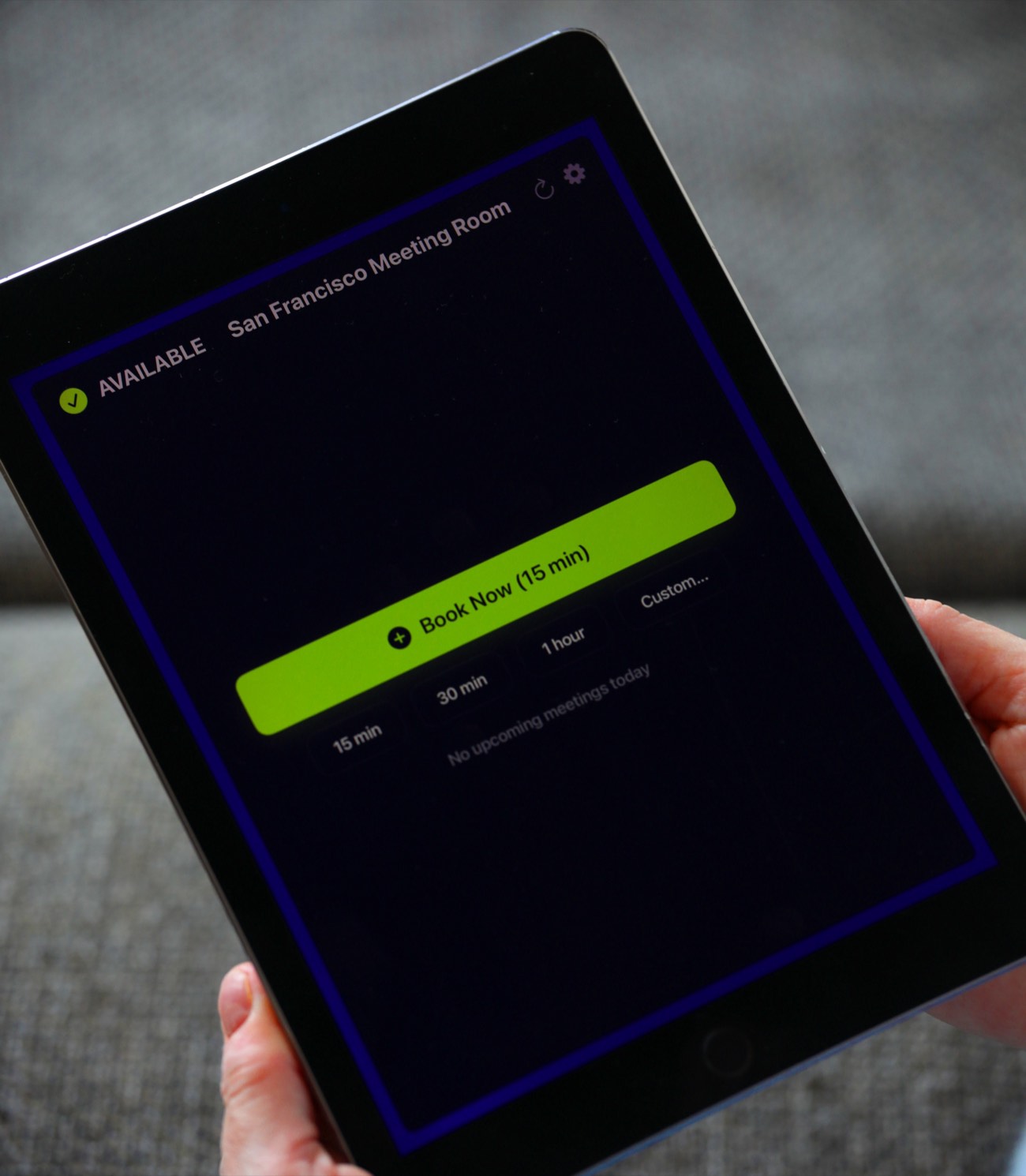
That's what The Room Display does. It puts an iPad at the door that shows green or red, the current meeting and the rest of today's schedule, refreshing every 30 seconds. During conference week that means:
- A parent can see the room is busy until 4:15 and wait outside instead of knocking.
- A teacher running long can see whether the room is booked straight after.
- When a conference runs over and a teacher needs somewhere else for the next family, they can grab an empty overflow room right from its door with walk-up booking, with preset durations or a custom end time.
- If a block was booked but nobody turned up, check-in and auto-release frees the room after 5, 10 or 15 minutes, so the overflow rooms stay genuinely available.
The display shows the event title, so ask teachers to title bookings with their own name, like "Conference: Mr. Okafor". If a teacher does write "Conference with the Garcias", marking the event private makes the door show "Private Meeting" instead. More on the wider setup in room booking for K-12 schools.
Frequently asked questions
How far ahead should we plan parent-teacher conference scheduling?
Start the room map about three weeks before conference week, and open parent sign-ups about a week before. That leaves time to sort out shared rooms and interpreters before families start picking times.
How long should parent-teacher conference slots be?
Many schools use 10 to 20 minutes, depending on division. Whatever length you pick, add a 5-minute buffer between slots and give interpreter-needed and multi-person conferences a double slot.
How should we handle conferences for separated parents?
Schedule the two conferences back to back with the same teacher, in the same room, with a buffer in between. Book them as separate events so each parent gets their own invitation.
Should we hold some conferences virtually?
Offering a virtual option helps working parents and families who live far away. Assign those teachers a quiet small room with a working camera rather than a large classroom, and give the front office the list of links.
What should be on the sign outside a conference room?
The teacher's name and room number, plus whether the room is in use and until when if you can. Never put the family's or student's name on a door sign or hallway screen.
Wrapping up
Conference week goes smoothly when the room map exists before the sign-up sheet, specialists have real rooms, and every door tells a parent whether they're in the right place. If you'd like the doors to do that on their own, The Room Display is $99 once per iPad, no subscription.
Related guides
- Buffer Time Between Meetings: How to End the Back-to-Back Room Handover Mess
- Walk-In Meetings: Why Tap-to-Book at the Door Changes How Rooms Get Used
- Where to Mount a Meeting Room Display: Placement That Actually Works