Pricing
IT Director
7 One-Time Buys That Cut 2027 Costs
A year-end IT checklist of 7 one-time buys that lower 2027 costs, from spare iPads and UPS batteries to perpetual licenses that never renew.
Short answer: The best year-end IT buys are one-time purchases that remove a recurring cost or an emergency cost next year: a spares shelf, UPS batteries, mounts and cable management, room displays on a one-time license such as The Room Display ($99 per iPad), perpetual-license tools, a label printer and cold network spares. Anything that starts a new subscription belongs in the 2027 plan instead.
Every December there's some budget left and a short window to spend it. I'd spend it on things that make 2027 cheaper. The rule for this list: you pay once, you own it, and it removes a recurring line or prevents an expensive scramble.
What counts as a one-time buy that cuts next year's costs?
A one-time buy is a purchase you pay for once, with no renewal attached, that your organization owns once the invoice clears. To make this list, an item has to pass three tests:
- No renewal. No monthly fee, no annual license, no "platform access" charge hiding in the quote.
- You own it. If the vendor disappears, the thing keeps working.
- It lowers a 2027 cost. That could be a subscription you cancel, overtime you avoid, rush shipping you never pay, or a meeting that doesn't start 15 minutes late.
The 7 buys at a glance
| # | Buy | Rough cost | What it cuts in 2027 |
|---|---|---|---|
| 1 | Spares shelf (iPad, chargers, cables) | $300–$600 | Rush orders, dead screens waiting a week for parts |
| 2 | UPS batteries, or a UPS where there's none | $50–$250 per battery | A network closet that drops with every brownout |
| 3 | Mounts and cable management | $40–$150 per screen | "The screen is off again" tickets |
| 4 | Room displays on a one-time license | $99 per iPad, plus the iPad | $15–$30 per room per month in panel subscriptions |
| 5 | Perpetual-license tools | Varies | Annual seats for tools you open a few times a year |
| 6 | Label printer and asset tags | $100–$300 | Days lost in the next hardware audit |
| 7 | Cold spares for the network | $200–$800 | Downtime while a replacement switch ships |
These are rough US street prices for late 2026. Check them against your own vendors.
Which one-time buys are worth it this year?
1. A spares shelf
A spares shelf is a labeled box with a working replacement for every device type you can't afford to have dark for a week. For a small fleet that means one spare iPad (a used one is fine), two USB-C or Lightning cables of the right length, two power adapters and one spare mount. My rule of thumb is one spare per ten deployed devices. When something dies, the swap takes five minutes.
2. UPS batteries
A UPS with a dead battery is a power strip with a false sense of security. Most units run a self-test and log the result, so pull those logs before you buy. Replace batteries that are failing or past the manufacturer's recommended age. If a closet with your core switch or firewall has no UPS at all, that's the first one to fix.
3. Mounts and cable management
Every shared screen with a loose cable is a future ticket. Raceways, cable clips, locking mounts and properly routed power are cheap now and annoying later. If you're planning wall-mounted iPads, sort out power before anything else. I wrote up the options in how to keep a wall-mounted iPad charged 24/7.
4. Room displays on a one-time license
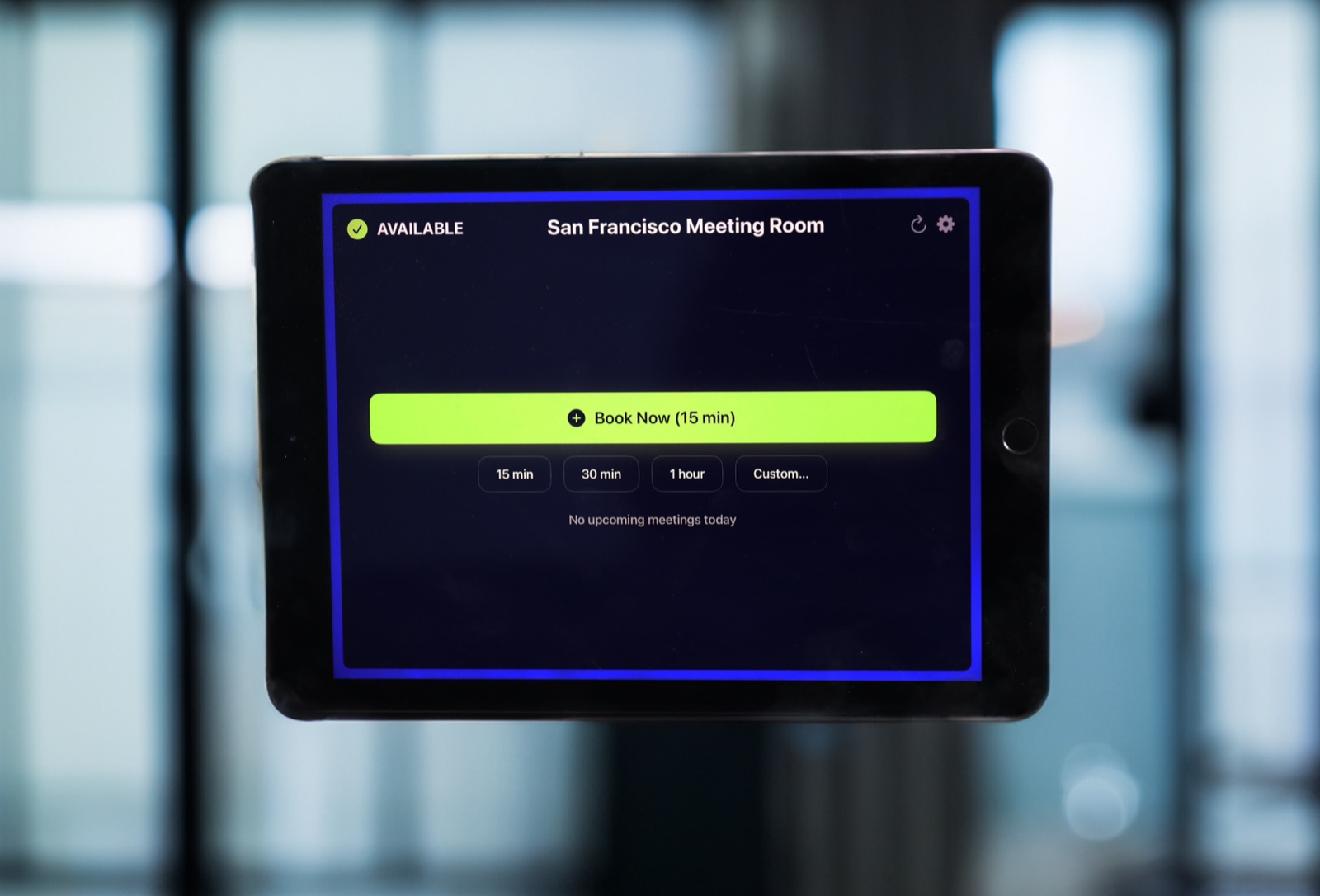
This is the one item on the list I sell, so take it with that in mind. The Room Display turns an iPad into a small piece of digital signage at the meeting room door. It shows whether the room is Available, In Use or Ending soon with a colored ring around the screen, plus the current meeting title, the organizer's name, the time left and the upcoming bookings. It refreshes every 30 seconds. Anyone at the door can book a free room for 15 minutes, 30 minutes, an hour or a custom time. Optional check-in releases bookings nobody shows up for. On Microsoft 365, check-in needs Direct Room Access, which an admin grants to the iPad's account.
It reads the room's calendar in Google Workspace or Microsoft 365 directly, with no third-party booking cloud in the middle. Any iPad on iPadOS 15 or later works, including retired ones from a drawer.
The budget case is the price model. Dedicated room panels typically cost $500–$2,000 each plus $15–$30 per room per month. For 10 rooms, that subscription alone is $1,800–$3,600 a year. The Room Display is $99 per iPad, once, with lifetime updates. Ten rooms cost $990 in licenses, and nothing in 2027. See pricing for the details.
5. Perpetual-license tools
Some desktop tools still sell a perpetual license: you pay once and keep the version you bought. They're a good fit for tools your team opens a few times a year, like diagramming, PDF editing or disk utilities, where a per-seat annual subscription costs more than the use is worth. Before you buy, check two things: whether updates are included, and which OS versions the license supports. If you want a checklist for spotting the opposite, read the hidden renewal traps in room booking software contracts. The same traps apply to most per-seat tools.
6. A label printer and asset tags
An asset tag is a durable label with an ID that matches a row in your inventory. Tag every laptop, iPad, dock and network device with an ID and the owning team. When the 2027 audit comes, you scan instead of hunting.
7. Cold spares for the network
A cold spare is a configured or ready-to-configure replacement that sits on a shelf until something fails. Buy one switch that matches your most common model and one access point. One caution: if your network vendor requires a cloud license per device, the spare may need its own license to work. Ask before you buy, or the "one-time" spare quietly becomes a renewal.
What to leave off a year-end list
- New subscriptions with a first-year discount. Year one is the cheapest year you'll ever pay.
- Hardware that only works with a recurring license. If the box is useless without a yearly fee, it isn't a one-time buy.
- Prepaid multi-year SaaS. It can lock in a price, but it's still a renewal later, and some finance teams won't let you prepay services at year-end anyway. Ask first.
- Anything you can't receive or install before the books close. Some finance teams count the order date, some the invoice date and some the delivery date. Find out which.
How to get it approved before the books close
- Ask finance for the cutoff date and the approval thresholds. Most organizations have a limit below which a manager's sign-off is enough.
- Bundle related items into one request. "Meeting room kit: iPad, mount, app license" reads as hardware, not as a new software vendor.
- Attach one line per item on what it saves in 2027. "Avoids $2,400 a year in panel subscriptions" is easier to approve than "nice to have."
- Use the fastest channel. App Store licenses are delivered right away. Businesses can buy licenses in bulk through Apple Business Manager and assign them to iPads through MDM, so no iPad needs its own Apple Account.
If procurement is set up for subscriptions and stalls on a one-time app, this guide to expensing a one-time app has the framing that works.
When The Room Display isn't the right fit
- You want one screen that shows every room on a floor. One iPad shows one room's calendar. There's no overview screen.
- You need occupancy sensors or utilization dashboards. The app doesn't count people or report on room use.
- Your rooms aren't in Google Workspace or Microsoft 365. The display reads those calendars and nothing else.
- There's no power at the door and no budget for an electrician. An iPad running all day needs constant power.
Frequently asked questions
What should IT spend leftover year-end budget on?
Spend it on one-time purchases that lower next year's costs: spares, UPS batteries, mounts, network cold spares and perpetual licenses. Avoid anything that starts a new subscription, because that turns this year's leftover money into a fixed cost for 2027.
Is a perpetual license always cheaper than a subscription?
Not always. A perpetual license wins for tools you use occasionally. For tools where the vendor runs servers for you, like backup or security, a subscription is often fair because the vendor's cost is ongoing too.
Can we buy app licenses for many iPads at once?
Yes. Businesses can buy licenses in bulk through Apple Business Manager and assign them to iPads with an MDM, with no Apple Account needed per iPad. The licenses belong to the company, so you can move them to a new iPad when an old one is retired.
Does The Room Display have any recurring cost?
No. It's $99 per iPad, paid once, with lifetime updates and email support included. Your only ongoing costs are the iPad's power and Wi-Fi.
Related guides
- Room Displays as Capex vs Opex: A Budgeting Guide
- How to Expense a One-Time App When Procurement Expects a Subscription
- The Second Life of a Retired Company iPad