Pricing
Room Displays as Capex vs Opex
A Budgeting Guide
A finance-friendly guide to budgeting meeting room displays — a one-time $99 app plus an iPad you own as capex, versus recurring subscription panels as opex.
Short answer: a one-time $99 app plus an iPad is a capital purchase — you own an asset, book it once, and optionally depreciate it. A subscription room panel is operating expense — a recurring bill that repeats every year forever. Which is "better" depends on your budget structure and approval process, but the total-cost gap over five years is large and favors the one-time model.
Most buying guides for room displays talk about features. Finance teams care about something else entirely: which budget line it hits, whether it needs sign-off every year, and what it does to the balance sheet. This guide reframes the decision the way your CFO sees it.
The two models in accounting terms
| One-time app + iPad | Subscription panel | |
|---|---|---|
| Expense type | Capex (asset) | Opex (recurring) |
| When you pay | Once, up front | Every month/year, forever |
| What you own | The iPad and a perpetual app license | Nothing — access ends when you stop paying |
| Balance sheet | Capitalizable asset | Expense as incurred |
| Renewal approval | None | Every cycle |
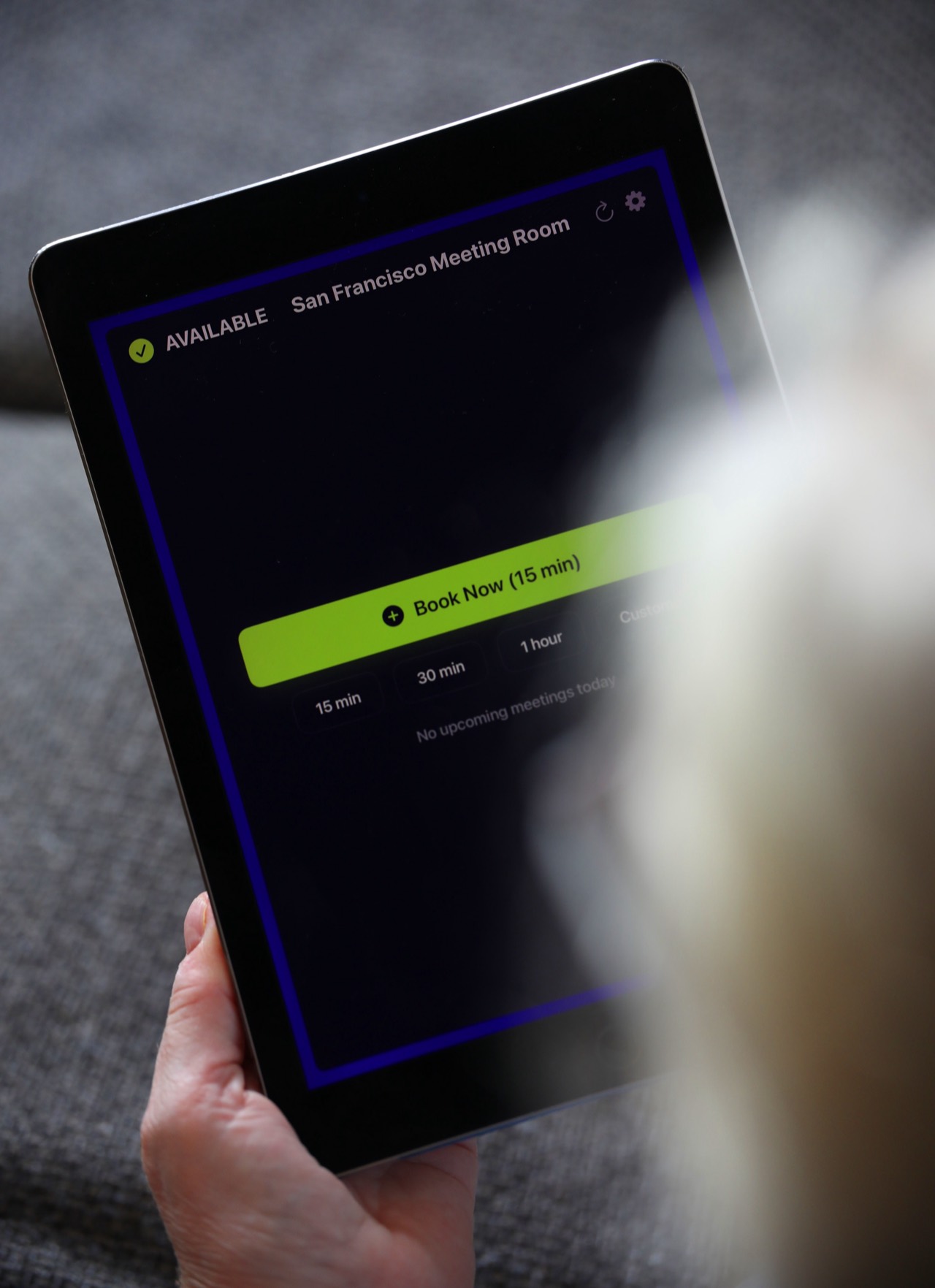
The Room Display is $99 per iPad, once, with no subscription — see why $99 once. Add a used or new iPad and a mount and you've bought a complete asset. A subscription panel, by contrast, is a service you rent indefinitely.
How each hits the budget
Capex (own it): the spend lands in one period. It's a larger single number, but it's finite and predictable — you know the whole cost the day you buy. There's no line item quietly renewing in perpetuity, and no annual price-hike risk. For hardware plus a perpetual license, this is the natural classification.
Opex (rent it): each period carries a smaller, smooth charge, which some managers prefer for cash-flow reasons. The catch is that it never ends and tends to grow — per-room fees rise, seats get added, tiers change. What looked cheap monthly is the most expensive path over any realistic ownership horizon.
Depreciation and asset life
An iPad from 2017 or later running iOS 15+ is a perfectly good room display, so the asset can be a low-cost or already-depreciated device — including retired company iPads getting a second life. If you capitalize it, you depreciate the hardware over its useful life (commonly 3 years for tablets). The $99 app license is small enough that many organizations simply expense it, but either way there's no recurring commitment attached.
Contrast that with subscription panels: purpose-built hardware is often bundled and it comes with the ongoing license, so you get the worst of both — a hardware asset to depreciate and a perpetual opex bill. See the panel vs tablet vs app TCO breakdown.
Approval friction: the hidden cost
The budget model changes who you have to convince and how often:
- Capex, once: a single approval, a single PO. After that, the rooms just work. No one revisits it next year.
- Opex, forever: every renewal is a fresh chance for finance to question the spend, for the vendor to raise the price, and for someone to have to defend a line item they'd forgotten about. Multiply by every room, every year.
Teams routinely underestimate the cumulative admin cost of defending a recurring bill. A one-time purchase you own is simply off the table after year one — see the true cost comparison.
The five-year picture
For 10 rooms, the shape of the two budgets diverges sharply:
| Approach | Year 1 | Years 2–5 | 5-year total |
|---|---|---|---|
| One-time app + iPads | ~$990 app + iPads/mounts | ~$0 | Roughly one-time hardware + $990 |
| Subscription panel | $1,800–$3,600 | $1,800–$3,600 each | $9,000–$18,000+ |
Even after adding iPads and mounts, the owned model is a fraction of the rented one over any multi-year horizon.
When each model actually makes sense
Choose capex (one-time app) when: you want predictable, finite cost; you can get a single approval; you have or can buy suitable iPads; and you'd rather own than rent. This fits the large majority of offices.
A recurring model may suit you when: your organization strictly forbids capitalizing anything, mandates opex-only procurement, and you genuinely value smoothing over ownership — a real constraint in some enterprises, but a policy choice, not a value judgment.
Frequently asked questions
Can I capitalize a $99 app?
Policies vary — many organizations expense low-value software and capitalize the iPad hardware. Your finance team sets the threshold. The key point is there's no recurring license to account for.
Isn't a subscription easier to get approved?
Easier the first year, harder forever after — every renewal is another approval and another price-hike opportunity. A one-time buy is approved once and done.
Does the one-time price really include updates?
Yes — lifetime updates are included with the $99 per-iPad purchase. No upgrade fees. See no-subscription room display.
What happens to my data in each model?
The Room Display is local-only — it reads your Google or Microsoft calendar directly and stores nothing in a third-party cloud, so there's no data to lock you in. Subscription platforms often hold your booking data on their servers.
How do I pitch the capex case internally?
Lead with the five-year total and the elimination of annual renewals. See pitching room displays to your boss.
Related guides
- Why $99 once beats a subscription
- Panel vs tablet vs app: total cost of ownership
- Meeting room display pricing comparison (2026)