Best Practices
Deal Rooms at Law and Accounting Firms
Booking Without Leaks
How law and accounting firms can book deal rooms for closings, diligence and audits without client names on the door. Private events, setup and cost.
Short answer: Book each deal room as a room resource in Google Workspace or Microsoft 365. Title bookings with a matter number or code name, never the client, and mark confidential sessions private so the door shows "Private Meeting". The Room Display puts that status on an iPad beside the door for $99 once, and your calendar data never passes through a third-party booking cloud.
A deal room is not a normal meeting room. It's booked for days, it holds paper overnight, and the name on the booking can be confidential information by itself. "Project Atlas closing" on a door tells a passer-by nothing. A client name next to "acquisition" tells them plenty.
What is a deal room, and why is it different?
A deal room is a conference room reserved for one matter for a stretch of time: a closing, a due diligence review, a deposition, audit fieldwork, or a busy-season tax team. It's different from a virtual data room. A virtual data room (VDR) is an online document repository used during diligence. This post is about the physical room down the hall.
Three things make deal rooms harder to schedule than ordinary conference rooms:
- Long bookings. A closing can hold a room for 2 to 10 days, including prep and cleanup.
- Outsiders inside. Opposing counsel, the client's CFO, lenders and auditors all sit in these rooms and walk the corridor.
- Sensitive titles. The booking title is often the most confidential thing on the calendar.
Which rooms at a firm need what?
Here's how I'd set up a typical 40 to 150 person firm.
| Room | Typical booking | Title on the calendar | Display at the door? |
|---|---|---|---|
| Deal or closing room | 1–10 days, one block | Matter number or code name, marked private | Yes, on a staff-only floor |
| Client conference room | 1–2 hours | Neutral ("Client meeting") | Yes |
| Deposition room | Half or full day | "Deposition", marked private | Yes |
| Witness prep room | 1–3 hours | Marked private | Optional |
| Audit or tax war room | Several weeks in busy season | Team name ("Audit team 3") | Yes |
| Partner office used as overflow | Ad hoc | Not a resource | No |
The pattern: the more outsiders walk past a door, the less the calendar title should say.
How do you keep client names off the door?
Use three layers. Each is a calendar habit or setting, not a feature you buy.
- A title convention. Bookings in shared rooms use a matter number or code name. Put it in the firm's booking policy in one line: "Room titles are public. No client names."
- Private events. In Google Calendar, set the event's visibility to Private. In Outlook, turn on the Private toggle. The Room Display then shows "Private Meeting" instead of the title. The room still reads as In Use, with the time left, so nobody walks in.
- Room mailbox settings on Microsoft 365. Exchange can strip the subject from every booking in a room and write the organizer's name in its place. Your admin turns it on per room:
Set-CalendarProcessing -Identity "Deal Room 2" -DeleteSubject $true -AddOrganizerToSubject $true
This only affects new bookings. Test with a fresh meeting, not an old one. On Google Workspace, rely on the title convention and private events.
To be clear about the app: The Room Display has no switch to hide titles. It shows what the calendar shows, and it respects the private flag. I prefer it that way. The confidentiality decision stays in the calendar, where the person who knows the matter makes it. I wrote more on the trade-offs in should a room display show the meeting title or the organizer's name.
How do you book a multi-day deal room?
Treat the closing like a project with a start and an end date.
- Book the whole window as one event. Start on the first prep day and end the morning after signing, because someone has to collect the paper.
- Restrict who can book ahead. Share the room's calendar with a small group (practice assistants, paralegals, the office manager) instead of the whole firm. On Microsoft 365 that's room mailbox permissions; I explain them in who can book this room.
- Add approval if a partner wants it. Approval is a calendar setting (delegate approval on a Microsoft 365 room mailbox, or turning off auto-accept on a Google resource), not something the display does.
- Set the display's lookahead to 7 days. The Room Display shows upcoming bookings for Today (the default), the next 24 hours, 72 hours or 7 days. A week makes it obvious that the block runs through Thursday.
- Decide on check-in per room. Check-in is optional and off by default. Deal room bookings are deliberate, so many firms leave it off there and turn it on for small conference rooms, where speculative holds pile up. With check-in on, a booking nobody taps into within 5, 10 or 15 minutes is released. On Microsoft 365, check-in needs Direct Room Access, which an admin grants to the iPad's account.
Where should the display go, and who can book from it?
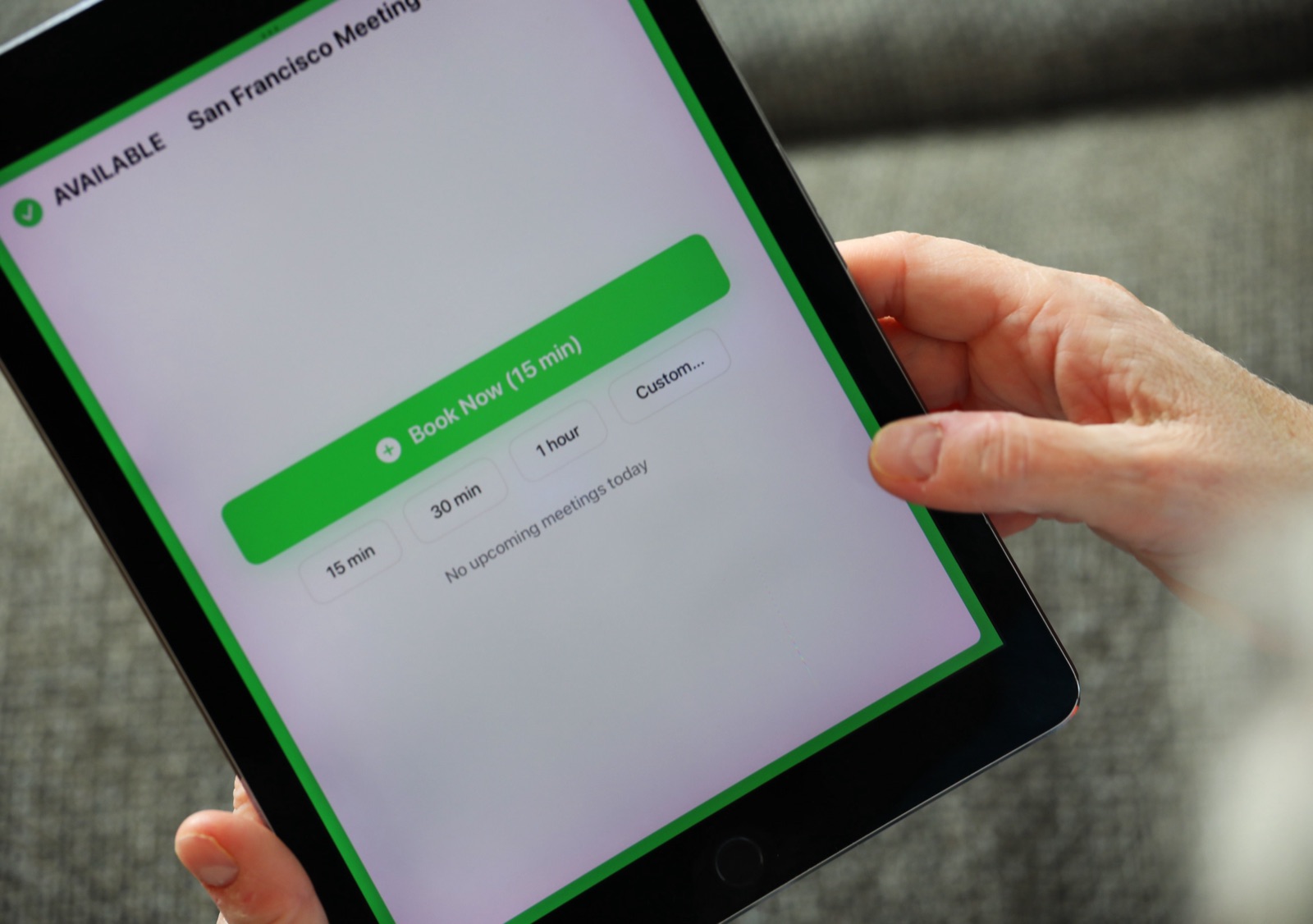
A room display is a small piece of digital signage beside the door: green for Available, red for In Use, and Ending soon near the end of a booking. It shows the current title and organizer, time left and upcoming bookings, refreshing every 30 seconds.
Two details matter at a firm:
- Anyone at the display can book. Walk-up booking has no per-person login. That's the point of it, but it means you should mount displays on floors behind reception, not in the client lobby. Calendar permissions only control booking ahead from Outlook or Google Calendar.
- Nobody can cancel the closing from the hallway. A walk-up booking can be cancelled within a 5-minute grace window. Scheduled meetings can't be cancelled at the door at all, by design. Here's why you can't cancel a meeting from the hallway.
For your IT and risk teams: each iPad talks directly to Google Workspace or Microsoft 365. No third-party booking cloud holds a copy of your calendar, and credentials stay in the iPad Keychain.
What does it cost compared with room panels?
Dedicated room panels typically cost $400–$1,300 each, plus $8–$42 per room per month. The Room Display is $99 per iPad, paid once, with lifetime updates and email support. It runs on any iPad with iPadOS 15 or later, including retired ones.
Say your firm has 2 deal rooms, 4 conference rooms and a deposition room. That's 7 doors.
| The Room Display | Typical room panels | |
|---|---|---|
| Per door, upfront | $99 plus an iPad you may already own | $400–$1,300 |
| 7 doors, upfront | $693 plus iPads | $2,800–$9,100 |
| Yearly subscription | $0 | $672–$3,528 |
Firms with an MDM can buy licenses in bulk through Apple Business Manager and assign them to iPads, so no Apple ID is needed per device. Full details are on the pricing page.
When The Room Display isn't the right fit
- You need a virtual data room with document permissions and access logs. That's a different product.
- You bill room time to matters or want room bookings tied to conflict checks. The app doesn't do billing.
- You want visitors signed in at reception. The Room Display isn't visitor management.
- You want one lobby screen listing every room. One iPad shows one room's calendar. There's no overview screen.
Frequently asked questions
How do I keep client names off a conference room display?
Agree on a title convention (matter number or code name) and mark confidential bookings private in Google Calendar or Outlook. The Room Display shows "Private Meeting" for private events. On Microsoft 365, the room mailbox can also replace every subject with the organizer's name.
Can a client book our conference room from the display?
Anyone standing at the display can book a free slot, because there's no login at the door. That's why firms mount displays on staff floors and keep client-facing lobbies display-free. Booking ahead from Outlook or Google Calendar still follows your calendar permissions.
Should a deal room use check-in and auto-release?
Usually not. Deal room blocks are planned and long, so auto-release adds little. Turn check-in on for small conference rooms instead, where "just in case" bookings waste the most space.
Does a room display store our calendar data in the cloud?
Not with The Room Display. Each iPad connects directly to Google Workspace or Microsoft 365, and credentials stay in the iPad Keychain. There's no vendor booking cloud in between.
Related guides
- Should a Room Display Show the Meeting Title or the Organizer's Name?
- Who Can Book This Room? Room Mailbox Permissions and Delegation Explained
- What Your Conference Room Tells Clients Before the Meeting Starts