Pricing
Subscription Sprawl
Audit Per-Device Software Before Renewal Season
How to audit per-device software subscriptions before renewal season, with the spreadsheet columns, six steps and a worked example you can copy.
Short answer: To audit per-device software, list every tool billed per device, per room or per seat. Compare the units you pay for with the devices actually in use, and record each renewal date and notice deadline. Then cut or right-size before the deadline. Where a tool only needs a one-time license, like The Room Display at $99 per iPad, replace the subscription.
Subscription sprawl is the slow pile-up of small recurring software charges that nobody owns end to end. Each one was a sensible decision at the time. Together they're a budget line nobody can explain. Per-device subscriptions are the worst offenders, because devices get retired, rooms get repurposed, and the license count never goes down on its own.
Where do per-device subscriptions hide?
A per-device subscription is software billed for each device it's installed on or each device it manages, usually monthly or yearly. They tend to live in a few predictable places:
- Device management and security. MDM, endpoint protection, remote support tools.
- Meeting rooms. Room panels, scheduling displays, video conferencing room licenses.
- Screens. Lobby screen players, menu boards, kiosk tablets.
- Network. Cloud-managed switches and access points that need a license per device.
- The odd ones. A visitor sign-in tablet, a label printer with a cloud app, a door controller.
They're also spread across payment methods. Some are on invoices, some on a corporate card, some on one person's expense report, and some on an app store or cloud marketplace bill. That's why nobody sees the total.
The audit spreadsheet: which columns matter?
One row per tool. These columns are enough to make every decision in the audit:
| Column | What goes in it | Why it matters |
|---|---|---|
| Tool and vendor | Product name, vendor, contract or account ID | You'll need the ID to cancel |
| Owner | The person who can say yes or no | Tools without an owner are the first to question |
| Billing unit | Per device, per room, per user, flat | Tells you what makes the bill grow |
| Units paid | From the latest invoice | What you're paying for |
| Units in use | From MDM, the vendor's console or a walk-around | What you actually need |
| Unit price | Per month or per year, as billed | Lets you price the gap |
| Annual cost | Units paid × unit price × 12 (or × 1) | The number finance cares about |
| Renewal date | From the contract or account page | When the next term starts |
| Notice deadline | Renewal date minus the notice period | The date that actually matters |
| Auto-renews? | Yes or no | Silent renewal is the default |
| Price increase cap | Percentage, or "none" | Uncapped means budget risk |
| Payment method | Invoice, card, expense, marketplace | Where to look next year |
| Decision | Keep, right-size, consolidate, replace, cancel | The output of the audit |
Add a "Gap" column too: units paid minus units in use, times the unit price. Sort by it. That's your priority list.
How to run the audit in six steps
- Pull 12 months of spend. Ask accounts payable for recurring vendors, and export corporate card and expense data. Search for words like "subscription", "license", "per device" and "renewal". Twelve months catches annual charges that a three-month view would miss.
- Pull device counts. Export the device list from your MDM and your asset register. If a tool is billed per room, list the rooms that actually exist today, not the ones on last year's floor plan.
- Match paid against in use. Fill in both columns for every row. Anything where units paid is higher than units in use goes in the gap column.
- Put every notice deadline on a shared calendar. Two reminders each: one 30 days before the deadline and one a week before. If you're not sure what to look for in the contract itself, read the hidden renewal traps in room booking software contracts.
- Make a decision per row. Keep it, right-size the count, consolidate two tools into one, replace it with a one-time license, or cancel it.
- Act, then record what you did. Send cancellation and right-sizing notices in writing, save the confirmations, and update the spreadsheet. Next year's audit starts from this file.
A worked example: 14 room panels
Say you have 14 meeting rooms with scheduling panels on a subscription of $25 per room per month. That's $4,200 a year.
The audit finds three of those rooms were turned into offices last spring. The panels came off the wall, but the licenses are still active. That's $900 a year for screens in a drawer.
| Option | Year 1 | Each year after | 3-year total |
|---|---|---|---|
| Do nothing (14 licenses) | $4,200 | $4,200 | $12,600 |
| Right-size to 11 licenses | $3,300 | $3,300 | $9,900 |
| Replace with a one-time license (11 iPads) | $1,089 plus iPads | $0 | $1,089 plus iPads |
Right-sizing saves $2,700 over three years. Replacing the subscription saves more, even after you buy iPads. Used iPads that run iPadOS 15 or later are often in a drawer already.
Which subscriptions are worth keeping?
Not every subscription is sprawl. A recurring fee makes sense when the vendor does recurring work for you: running servers, updating threat definitions, storing backups, answering support calls at 3 a.m. Security, backup and MDM usually fall in that group.
It makes much less sense when the software just reads data you already own and shows it on a screen. A room display is a good example. Your calendar already lives in Google Workspace or Microsoft 365. The display only needs to read it and show it at the door.
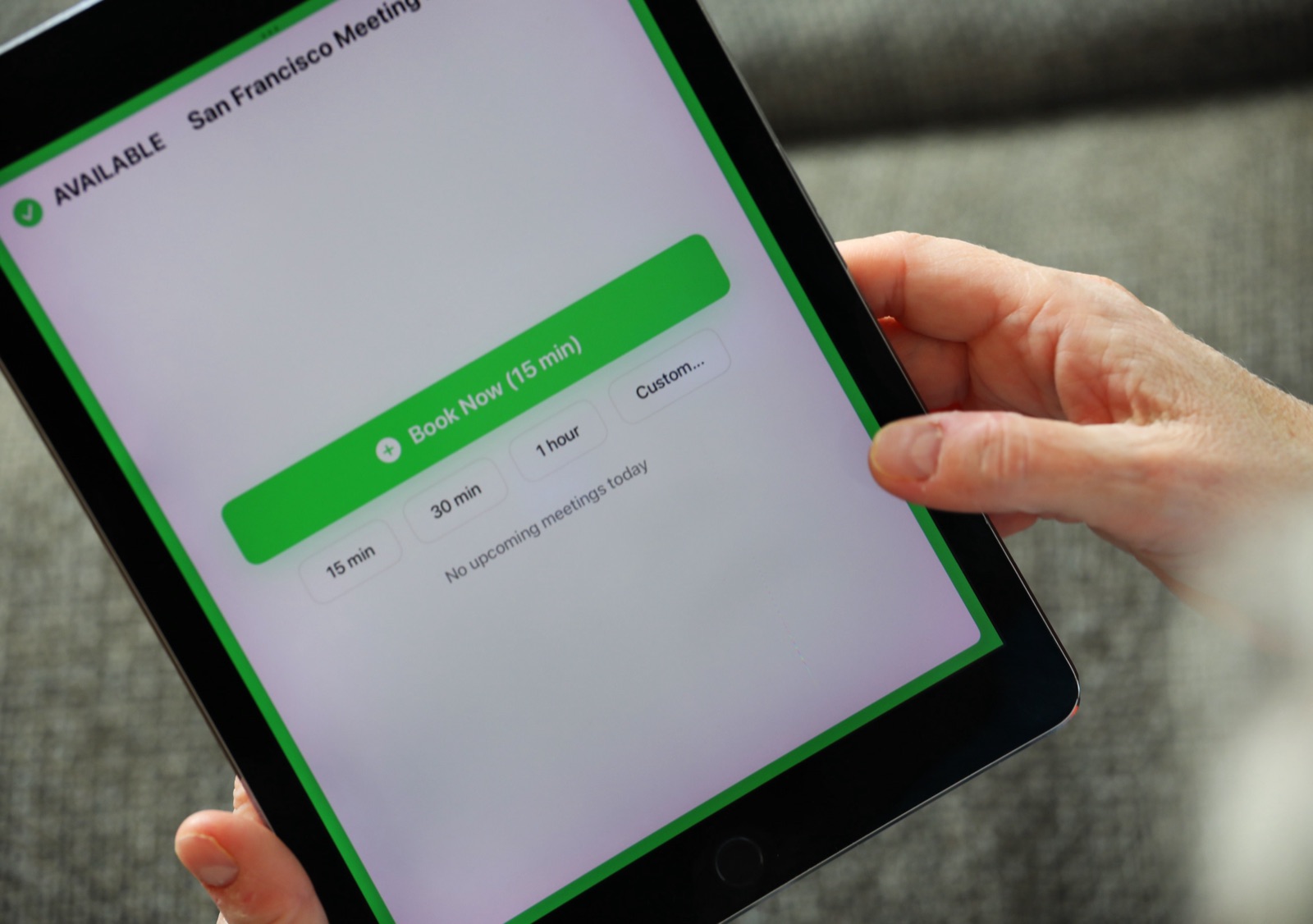
That's why I built The Room Display as a one-time purchase. It turns an iPad into a small piece of digital signage beside the meeting room. It shows whether the room is Available, In Use or Ending soon, the current meeting and organizer, the time left and upcoming bookings, refreshed every 30 seconds. Anyone at a free room can book it on the spot, and optional check-in releases bookings nobody shows up for. Data goes straight between the iPad and Google or Microsoft, with no booking cloud in the middle. On Microsoft 365, check-in needs Direct Room Access, which an admin grants to the iPad's account.
It's $99 per iPad, paid once, with lifetime updates. Dedicated room panels typically cost $500–$2,000 each plus $15–$30 per room per month. If you're doing this audit at year-end, the IT director's year-end checklist has six other one-time buys worth a look.
When The Room Display isn't the right fit
- You need one screen that lists every room. One iPad shows one room's calendar. There's no overview screen.
- You rely on utilization reports from your current platform. The app doesn't collect analytics.
- Your room panels also run video calls. The Room Display shows and books the room. It doesn't control Zoom, Teams or AV.
- Your rooms aren't in Google Workspace or Microsoft 365. The display reads those calendars only.
Frequently asked questions
How often should we audit software subscriptions?
Once a year, about three months before your busiest renewal month, is enough for most organizations. Keep the spreadsheet updated when you add or cancel a tool, so the yearly audit takes hours, not weeks.
What's the difference between per-device and per-user licensing?
Per-device licensing charges for each device the software runs on or manages. Per-user licensing charges for each person with access, whether or not they use it. Per-device bills grow with hardware, per-user bills grow with headcount.
How do I find subscriptions nobody remembers signing up for?
Search 12 months of card statements and expense reports for recurring charges, and check app store and cloud marketplace bills. Then ask each team lead to confirm what's theirs. Anything nobody claims is a candidate to cancel.
What if we already missed the notice deadline?
Ask the vendor anyway. Some will agree to reduce the count or end the contract early, especially if you're right-sizing rather than leaving. If not, put the next deadline on the calendar now and make the decision well before it.
Related guides
- The Hidden Renewal Traps in Room Booking Software Contracts
- IT Director's Year-End Checklist: 7 One-Time Buys That Cut 2027 Costs
- Room Scheduling Panel vs. Tablet vs. App: A Total-Cost-of-Ownership Buyer's Guide