Best Practices
Booking the Agency Photo Studio
Without the Slack Chaos
Photo studio booking for agencies: move holds, build and strike time out of Slack and into a calendar resource, with a display at the studio door.
Short answer: Make the photo studio a calendar resource in Google Workspace or Microsoft 365, book build, shoot and strike as one block, and mark tentative dates as holds in the title. Producers book ahead from their calendar. A display at the studio door, like The Room Display, shows who has it, until when, and what's coming this week, so nobody walks into a set mid-shot.
Most agency studios are booked in a Slack channel. Someone posts "anyone using the studio Thursday?", three people react with an emoji, and on Thursday two shoots show up. This post is about getting the studio out of the thread and into one place everyone can see.
Why the studio is harder to book than a meeting room
I worked as a production technician in film and TV before I built software. The studio was always the most fought-over space in the building, and the first booking tool I ever made was a Google Form at a production company, because the whiteboard kept getting wiped.
A studio booking isn't a meeting. It has parts:
- Build or pre-light. Setting up the backdrop, lights and props. Often two hours, sometimes half a day.
- The shoot. The part everyone remembers to book.
- Strike. Packing down, clearing the floor, and touching up the cyc wall if it got scuffed.
- Holds. "We might shoot the new range on the 14th" is a real need, but it isn't a booking yet.
If only the shoot goes in the calendar, the next team arrives to a half-built set. If holds live only in Slack, the studio looks free when it isn't.
Slack, spreadsheet or calendar?
| Method | Conflict checking | Visible at the studio door | Holds vs confirmed | Typical cost |
|---|---|---|---|---|
| Slack channel | None | No | Lost in the thread | Free |
| Shared spreadsheet | None, people overwrite rows | No | A color code nobody follows | Free |
| Calendar resource only | Yes, double bookings are declined | No | Title convention | Included in Google or Microsoft |
| Calendar resource plus door display | Yes | Yes, with a colored status ring | Title convention, shown on the door | $99 once per iPad |
| Studio rental platform | Yes | Sometimes | Built in | Monthly subscription |
For an internal studio shared by your own teams, the calendar does the heavy lifting. A rental platform only earns its cost if you rent the studio to outside clients and need payments.
How to set it up in 6 steps
- Create the studio as a resource. In Google Workspace, add it under Buildings and resources. In Microsoft 365, create a room mailbox. A room mailbox is a calendar account that represents a space and accepts or declines bookings automatically. Call it what people already call it ("Studio A").
- Add the capacity and features. Note the cyc, the blackout, the power. Producers who book from Room Finder or Google Calendar can see it.
- Agree on a title convention. "HOLD: Spring catalog" for tentative dates, "SHOOT: Spring catalog" once confirmed. Avoid client names if clients ever walk past the studio.
- Book one block per shoot. Build, shoot and strike in a single event. If the shoot is 10 am to 4 pm, the booking is 8 am to 5:30 pm. I go deeper on handover time in buffer time between meetings.
- Set a hold expiry. For example: holds drop 48 hours before the date unless confirmed. The studio manager deletes stale holds on Monday morning.
- Mount the display at the studio door. Set the lookahead to "next 7 days" so anyone walking past sees the whole week, not just today.
What the door display does for a studio
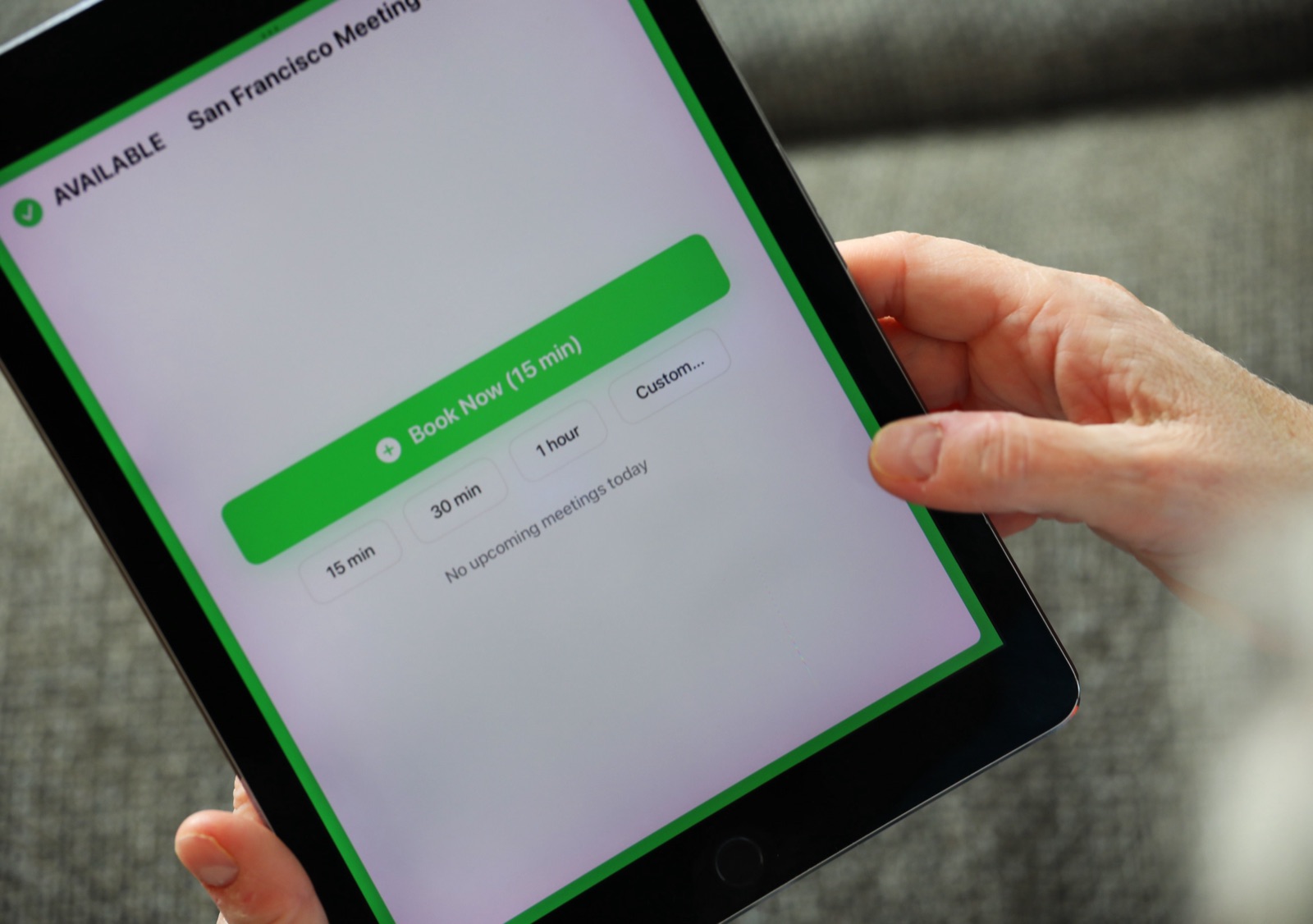
The Room Display is an iPad app that shows one resource calendar on the door. For a studio, three things matter.
Red means don't open the door. The colored ring around the screen turns red when the studio is in use, with the booking title, the organizer's name and the time left. Nobody walks into frame to ask how long you'll be. On a shoot, that's worth the whole setup.
The week ahead is right there. With the 7-day lookahead, a producer passing the studio on Monday sees Wednesday's hold and Friday's shoot without opening anything. It works like a small piece of digital signage for the studio, except it's always current.
Quick shoots get booked properly. A designer who needs 30 minutes for product flat lays walks up, taps "30 min", and the booking lands in the studio's calendar. For longer jobs, Custom takes up to 4 hours 45 minutes and lets you add a title. Everything longer, or anything booked for another day, goes through the calendar.
What about no-shows? Turn on check-in, and the display asks someone to tap in when a booking starts. If nobody does within 5, 10 or 15 minutes, the booking is released. For studios I'd pick 15 minutes, since the crew might be carrying gear in from the car. It's the simplest way to clear the "just in case" holds people forgot to delete. On Microsoft 365, check-in needs Direct Room Access, which an admin grants to the iPad's account.
House rules that keep the studio usable
Software won't strike a set. A short list on the inside of the studio door helps:
- If it's not in the calendar, it's not booked. Slack messages don't count.
- Strike time is part of your booking. Leave the floor clear and the cyc clean when your block ends.
- Holds expire. Confirm by the deadline or lose it.
- One owner per booking. The organizer's name on the door is who people ask.
- Walk-ups fit around bookings. Check the next booking on the screen before you tap. If a shoot starts in 20 minutes, book 15, not 30.
My post on room booking for creative and event agencies covers edit suites, booths and war rooms with the same approach.
When The Room Display isn't the right fit
- You rent the studio to outside clients. You'll want invoicing, deposits and a public booking page. The app does none of that.
- You need crew and talent scheduling. A display shows the room, not who's on the call sheet.
- You want studio gear tracked with the room. Lights and cameras can be calendar resources, but one iPad shows one resource. The door display shows the studio, not the kit.
- You want utilization reports. There are no analytics dashboards. The calendar history is your record.
Frequently asked questions
How do I stop people double-booking the agency photo studio?
Make the studio a calendar resource in Google Workspace or Microsoft 365. The resource declines overlapping bookings automatically, so a second shoot can't be booked on top of the first. A door display makes the current booking visible to anyone walking past.
Should we book set build and strike time?
Yes. Book build, shoot and strike as one block. If only the shoot is booked, the next team shows up to a half-built set or a scuffed cyc.
How do we handle tentative studio dates?
Book them in the calendar with "HOLD" at the start of the title, and agree on an expiry, like 48 hours before the date. The studio manager clears stale holds weekly.
Can people book the studio from the door?
Yes, for right now. The display offers 15 minutes, 30 minutes, 1 hour or a custom length up to 4 hours 45 minutes. Longer or future bookings are made from Google Calendar or Outlook.
Related guides
- Room Booking for Creative and Event Agencies: Client Rooms, Edit Suites and War Rooms
- Buffer Time Between Meetings: How to End the Back-to-Back Room Handover Mess
- Walk-In Meetings: Why Tap-to-Book at the Door Changes How Rooms Get Used