Insights
Room Displays Beyond the Office:
Clinics, Classrooms, Labs & Coworking
Room displays aren
Short answer: Any space that's shared, scheduled, and fought over benefits from a display at the door — not just corporate meeting rooms. Exam rooms, classrooms, study rooms, lab bays, coworking pods, and community-center halls all have the same core problem: no one can tell from the hallway whether the space is free. A calendar-connected iPad display solves that anywhere a Google or Microsoft calendar backs the space.
The meeting-room use case gets all the attention, but the underlying pattern — a shared space, a calendar, and a corridor full of people guessing — shows up across healthcare, education, research, and shared workspaces. The display doesn't care what's behind the door. Here's where it shines outside the traditional office.
The common thread: shared, scheduled, and invisible
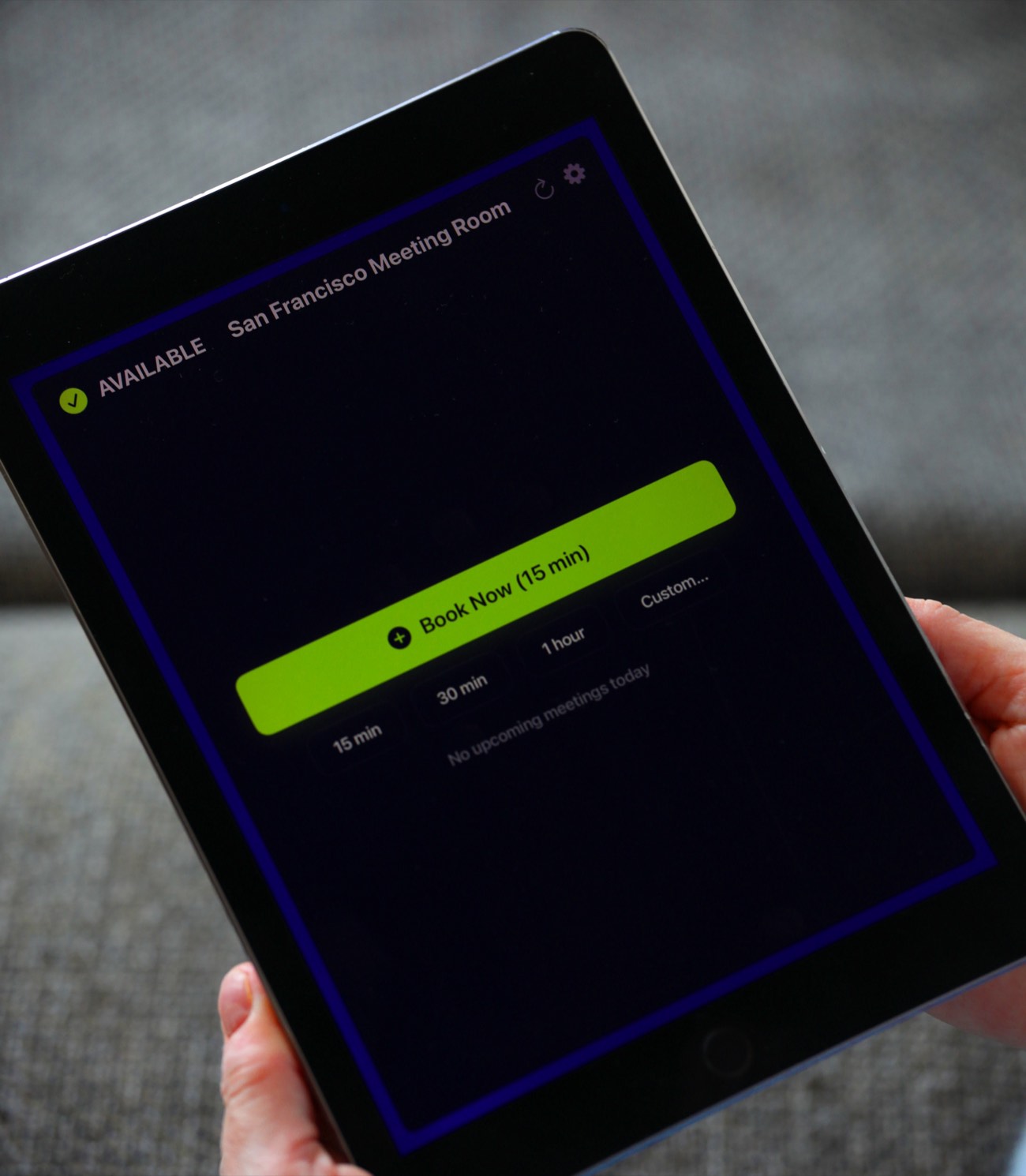
A room display earns its keep when three things are true:
- The space is shared by more than one person or team.
- It's scheduled on a calendar somebody maintains.
- Its status is invisible from outside — you have to open the door to find out.
Wherever those three overlap, you get double-bookings, interruptions, and wasted capacity. That's as true of a university study room as it is of a boardroom. Because The Room Display connects to any Google Workspace or Microsoft 365 calendar, if the space already has a resource calendar, it can have a display.
Clinics and exam rooms
Healthcare runs on room turnover. An exam room, treatment bay, or consult room that sits empty because no one knows it's free is lost throughput.
- At the door: staff see at a glance which rooms are open for the next patient, without walking the corridor knocking on doors.
- Instant booking lets a nurse grab a free room for an unscheduled walk-up.
- Privacy matters here more than anywhere. You almost certainly don't want patient names or appointment details on a hallway screen. The Room Display can show just "Busy" or the organizer instead of the meeting title — configure it to reveal nothing patient-identifying. See show meeting title or organizer name.
A word of care: a room-availability display is not a medical device or an EHR, and it shouldn't be treated as one. Keep clinical detail in your clinical systems; use the display purely for free/busy status.
Universities: classrooms and study rooms
Campus space is chronically over-subscribed. Two use cases dominate:
- Study and group rooms. Libraries and student unions constantly battle over bookable study rooms. A display at each door — showing the current booking and letting a student grab a free slot on the spot — cuts the "is this taken?" friction and the passive-aggressive sticky notes.
- Teaching spaces. A classroom display shows the day's timetable and whether the room is free between classes for ad-hoc use. Instant booking of a gap between lectures turns dead time into usable space.
Because the app is a one-time $99 per iPad with no subscription, and works on iPads as old as 2017, it fits education budgets and lets institutions repurpose older devices. See second life for retired company iPads.
Research labs
Labs schedule bays, instrument rooms, and shared equipment stations. The stakes are different from a meeting room — a mis-booked confocal microscope or a double-claimed fume hood wastes expensive, contended resources.
- A display at each lab bay or instrument room shows who has it now and what's next.
- Walk-up booking handles the quick, unscheduled "I just need it for ten minutes" case.
- A longer lookahead window helps in labs where reservations are planned days ahead — The Room Display's meeting lookahead is configurable (today, 24h, 72h, or 7 days) so the schedule shown matches how far out people actually book.
Note that instrument-specific interlocks or usage logging live in your lab systems; the display handles the human-facing "is it free right now?" question.
Coworking and flex spaces
Coworking operators live and die on utilization. Phone booths, focus pods, and small meeting rooms turn over dozens of times a day.
- A display on every bookable pod makes availability legible to members walking the floor.
- Instant booking with 15/30/60-minute quick buttons matches the short, spontaneous way people use these spaces.
- Check-in with auto-release reclaims no-show bookings — critical when a members' pool is competing for a small number of pods.
- Custom accent colors let operators match the display to their brand across a location.
Community centers, churches, and municipal buildings
Multi-purpose halls, meeting rooms, and activity spaces in community buildings are booked by different groups all week, often by volunteers rather than a facilities team.
- A display shows the day's bookings so a group arriving for their slot can confirm they're in the right place at the right time.
- Because it's local-only — connecting straight to the organization's Google or Microsoft calendar with no third-party cloud — there's no vendor SaaS contract for a small nonprofit to manage or pay for monthly.
What changes vs. a corporate office
The core app is the same, but the emphasis shifts by setting:
| Setting | What matters most | Key feature to lean on |
|---|---|---|
| Clinic | Privacy of what's shown | "Busy"/organizer instead of title |
| University | Cost, older hardware, walk-up | $99 one-time, iOS 15+ support, quick booking |
| Lab | Longer planning horizon | Configurable lookahead window |
| Coworking | High turnover, no-shows | Quick-book buttons + check-in/auto-release |
| Community center | No IT team, low budget | Local-only, no subscription |
The instant-booking-at-the-door pattern travels well. What changes is which settings you dial up.
Frequently asked questions
Can The Room Display be used outside a corporate office?
Yes. Anywhere a shared space has a Google Workspace or Microsoft 365 calendar — clinics, classrooms, study rooms, lab bays, coworking pods, community halls — a display at the door shows availability and enables instant booking.
Can I hide sensitive details on a clinic or public-facing display?
Yes. You can configure the display to show just "Busy" or the organizer's name instead of the meeting title, so no patient- or client-identifying detail appears on a hallway screen.
Is a room display a medical or clinical system?
No. It shows free/busy availability from a calendar. Keep clinical or patient detail in your dedicated clinical systems — use the display purely for room status and booking.
Does it work for booking things that aren't rooms?
Yes — any resource with its own calendar, such as equipment or study rooms, can be shown and booked. See our guide on booking anything, not just rooms.
Is it affordable for schools and nonprofits?
It's a one-time $99 per iPad with no subscription, runs on iPads from 2017 onward, and is local-only with no vendor cloud fees — which fits tight education and nonprofit budgets and lets you reuse older devices.
Related guides
- Book anything, not just rooms
- Second life for retired company iPads
- Show meeting title or organizer name