Best Practices
Toolbox Talks, Stand-Downs
and the Breakroom Problem
How plant managers and EHS teams book the breakroom for toolbox talks, stand-downs and all-hands without wrecking lunch or shift change.
Breakroom meeting room scheduling works when you treat the breakroom as a real, bookable calendar resource with protected lunch and shift-change blocks, instead of a space that "everyone just knows" is free at 10:15. Put the breakroom on the calendar, block out meals and shift overlap as recurring events, and let supervisors book everything else. A display on the door turns the whole arrangement from tribal knowledge into something the second shift can actually see.
I hear some version of the same story from industrial sites. The plant has a conference room that seats twelve, a training room that seats twenty, and a breakroom that seats eighty. So any time you need the whole crew in one place, it's the breakroom. Which is fine, until the EHS manager has planned a stand-down for 11:30 and the hot food line opens at 11:30.
Why the breakroom ends up as your biggest meeting room
Most plants weren't designed with an auditorium. The breakroom (or canteen, or lunchroom, depending on who you ask) is the one space with enough chairs, enough floor area and usually a TV on the wall. It's also close to the production floor, which matters when you're pulling people off a line for fifteen minutes and want them back on it in sixteen.
That makes it the default venue for:
- Toolbox talks and pre-shift safety briefings when the group is too big for the supervisor's area
- Shift huddles that cover two or three cells at once
- Quarterly all-hands and plant-manager updates
- Safety stand-downs, including OSHA's National Safety Stand-Down each spring (usually in May)
- Annual refresher training that needs a screen and seating
- Customer or corporate visits that need "somewhere everyone can hear"
None of that is a problem on its own. The problem is that the breakroom also has a fixed job: feeding people on a schedule that's set by the shift pattern, not by anyone's calendar. I wrote more about the general version of this in making a canteen double as a meeting space. Industrial sites are the hardest version of it, because the breaks are non-negotiable and the shifts don't overlap politely.
Which meetings belong where
Before you make the breakroom bookable, it helps to decide what actually needs it. A lot of breakroom bookings happen because nobody thought about the alternatives.
| Meeting type | Typical size | Best space | Booking tip |
|---|---|---|---|
| Daily toolbox talk / pre-shift brief | 5–15 | At the work area or supervisor's station | Don't book a room at all; keep it where the hazards are |
| Multi-cell shift huddle | 15–40 | Breakroom, outside meal windows | Recurring booking that ends 10+ min before break starts |
| Safety stand-down (e.g. the spring OSHA stand-down) | Whole shift | Breakroom, split into one session per shift | Book all sessions as soon as the date is set, weeks ahead |
| Plant all-hands / quarterly update | Whole site | Breakroom, repeated per shift | Book at shift overlap only if lunch isn't in the same window |
| Formal safety training with video or quiz | 10–25 | Training room | Use the breakroom only as overflow; it's loud and interrupted |
| Supplier or customer visit briefing | 5–12 | Conference room | Keep visitors out of the breakroom during meals |
| Incident review or near-miss debrief | 4–10 | Conference room or EHS office | Private space; don't do this where the whole site walks past |
The first row is the one people argue with me about. A toolbox talk is supposed to be short, specific and close to the job. If you're talking about lockout/tagout on press 4, doing it next to press 4 is better than doing it next to the vending machines. Save the breakroom for the meetings that genuinely need everyone seated and able to see a screen. For the bigger picture on training spaces, see scheduling the room for OSHA safety training.
How to make the breakroom bookable without breaking lunch
Here's the setup I'd recommend for a single-site plant running two or three shifts. You can do all of it in Google Workspace or Microsoft 365 before you buy anything.
1. Make the breakroom a calendar resource
In Google Workspace that's a room resource; in Microsoft 365 it's a room mailbox. Give it a name people recognize ("Breakroom – Main" beats "BLDG2-RM104"), and set its capacity honestly. Once it's a resource, it shows up when anyone with a company account creates a meeting, and double-bookings get flagged instead of discovered at the door.
2. Block meals and shift change as recurring events
This is the step that protects lunch. Create recurring events on the breakroom calendar for every meal window and every shift overlap. If first-shift lunch runs 11:00 to 11:30 and second-shift lunch runs 7:00 to 7:30 pm, those are blocked, every weekday, forever. Title them clearly ("1st shift lunch – not bookable") so nobody thinks they're someone's personal hold.
Add 10 to 15 minutes either side. People drift in early, and the room needs to be reset after a meeting: chairs back, screen off, whiteboard wiped. Buffer time isn't wasted time; it's the difference between a clean handover and a crew eating standing up.
3. Decide who can book, and how far ahead
You don't want every badge holder able to grab the breakroom for a birthday cake at 11:15. A reasonable split:
- Supervisors and EHS can book any open slot
- Plant manager's office books all-hands and stand-downs well in advance
- Everyone else asks a supervisor
If your calendar system supports booking permissions on the resource, use them. If it doesn't, a short written rule posted in the breakroom does most of the work.
4. Book the big annual events early
Stand-downs, annual refreshers and all-hands are predictable. The date for the spring stand-down period gets announced well ahead of time, so put one session per shift on the calendar as soon as you've chosen your day. Night shift deserves the same session as day shift, not a forwarded slide deck.
5. Make the schedule visible at the door
This is where most plants fall down. The calendar can be perfect, but if the only people who can see it are the ones with Outlook open, the second-shift lead will still walk in at 2:45 to find a meeting in progress. A display on the breakroom door shows, in green or red, whether the room is free right now and what's booked for the rest of the day.
Shift change: the hardest 30 minutes in the building
Shift overlap is tempting because it's the one moment two crews are in the building. It's also when people are clocking in, getting handover and grabbing coffee. A few rules that work:
- Don't book across the overlap if the breakroom is also where people store lunches. You'll have forty people walking through your meeting.
- If you must use the overlap for an all-hands, keep it under 15 minutes and standing. Seated meetings run long.
- Run big meetings once per shift rather than once at the overlap.
Where an iPad on the door helps (and where it doesn't)
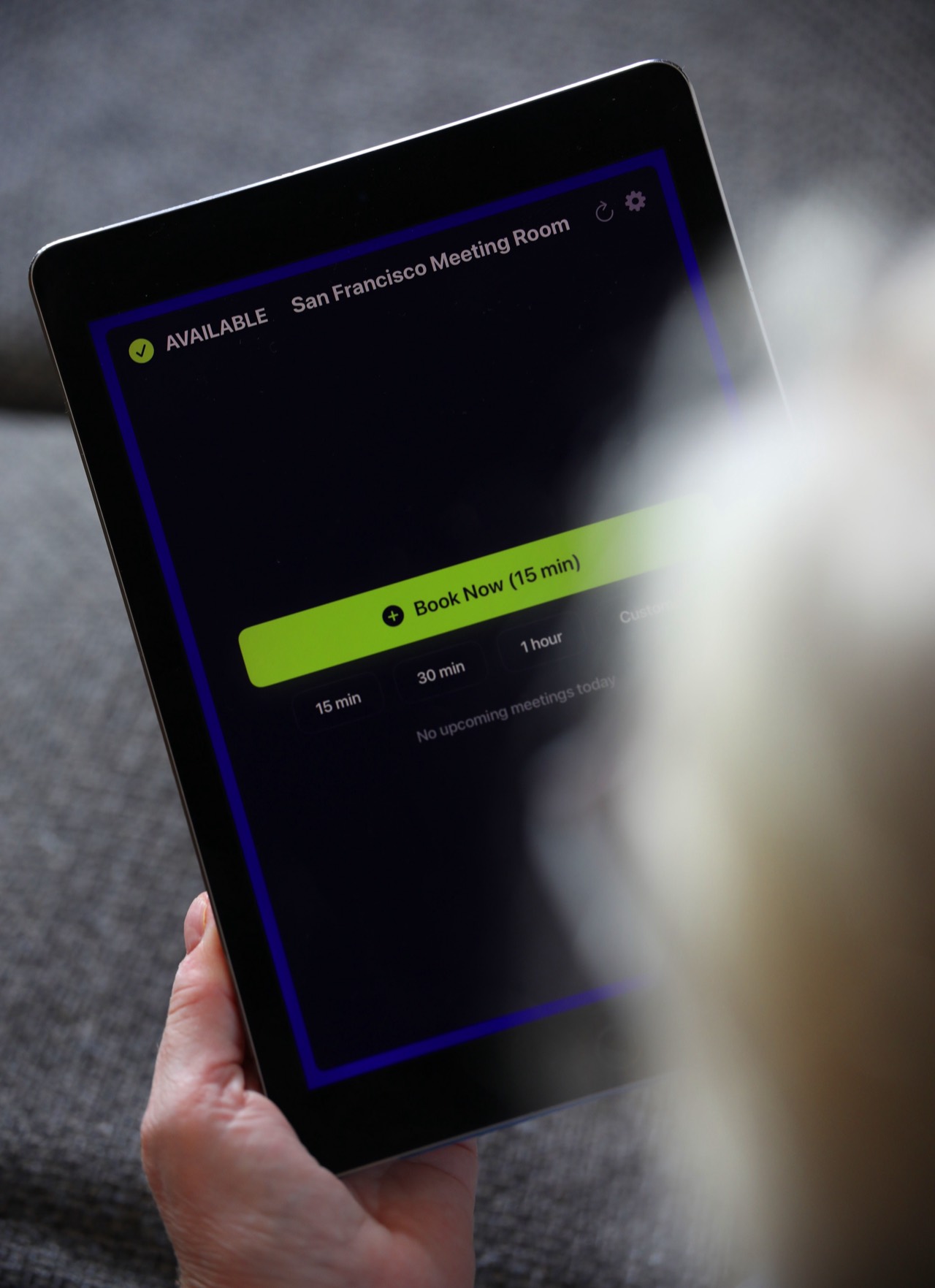
We built The Room Display to show exactly this kind of thing: is the room free right now, and what's coming up today. Any iPad on iOS 15 or later can run it, mounted outside the breakroom door. It reads straight from the room's Google or Microsoft calendar, refreshes every 30 seconds, and shows green when the room is available and red when it's in use. So the recurring "1st shift lunch" block shows up on the door just like any meeting would.
A supervisor who needs the room for twenty minutes right now can book it from the iPad with a couple of taps, and the booking lands on the shared calendar so nobody else grabs it. Check-in helps with the classic plant problem of the recurring huddle that quietly stopped happening months ago: if nobody taps to check in within 10 minutes of the start (you can set 5, 10 or 15), the booking is released and the slot opens up.
Honest caveats. Mount it in the corridor or office side of the breakroom, not over the coffee station or anywhere it'll get splashed. If your breakroom opens directly onto the production floor, think about dust and forklift traffic and either use a protective enclosure or pick a different spot. And if you want to book other shared things (the company truck, the forklift training cart, the portable PA system), any calendar resource can have its own display. There's more on that in booking anything, not just rooms.
If you're also scheduling conference rooms, quality review rooms and training rooms across the front office and the plant floor, I've written a separate guide on room scheduling for manufacturing facilities.
Frequently asked questions
Should toolbox talks be held in the breakroom?
Usually not. Toolbox talks work best short and close to the actual work, where people can see the hazard you're discussing. Use the breakroom only when the group is too big for the work area or you need a screen.
How do we stop meetings from running into lunch?
Block every meal window on the breakroom calendar as a recurring event, with 10 to 15 minutes of buffer before it starts. Then make the schedule visible at the door so the person running the meeting can see the clock is against them.
When is OSHA's National Safety Stand-Down?
It's held each spring, usually in May, and focuses on fall prevention in construction, though plenty of other industries use the week for their own stand-downs. Check OSHA's site for the current year's dates and materials, and check your own training requirements with your safety advisor.
Can night shift book the breakroom too?
They should be able to. If your second or third shift leads have company accounts, they can book the room the same way as day shift. A display on the door is especially useful at night, when there's nobody in the front office to ask.
What if our supervisors don't have email accounts?
That's common on the plant floor. Give a few leads accounts that can book resources, or let them book walk-up meetings directly from a display at the door. Bigger scheduled meetings can still go through the plant manager's office.
The short version
The breakroom is going to stay your biggest meeting room, so treat it like one: put it on the calendar, protect lunch with recurring blocks, and show the schedule on the door. If you want that door display, The Room Display is $99 once per iPad, no subscription, and it runs on the old iPad that's probably already sitting in a drawer in the front office.
Related guides
- Customer Story: A Retired Factory iPad Became Their Room Display
- How to Keep a Wall-Mounted iPad Charged 24/7 (Without Ugly Cables)
- Meeting Room Check-In, Explained: How Auto-Release Kills Ghost Meetings